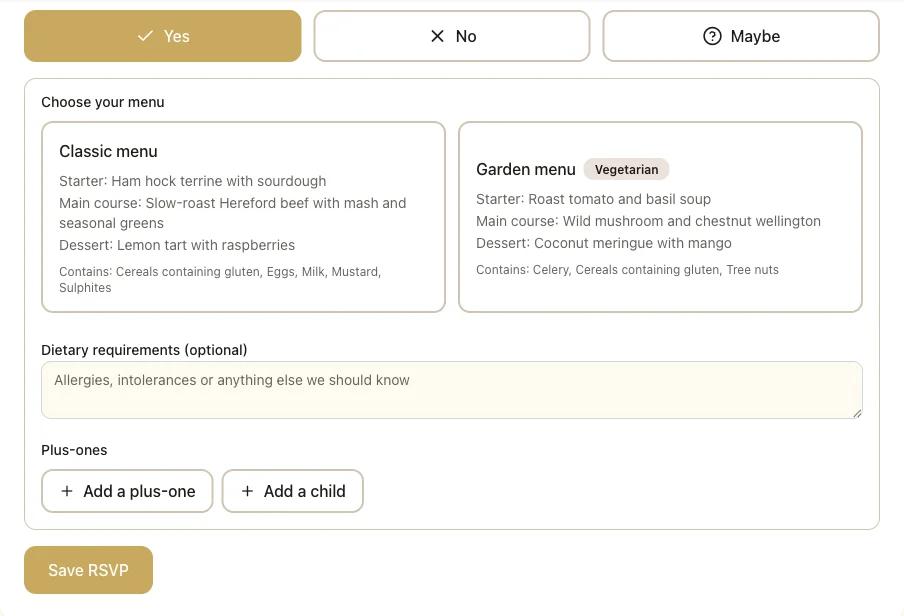
Guests answer for themselves
Each guest joins from your invite link, says yes, no or maybe, chooses their meal when you have set a menu, and adds a plus-one, their children and any dietary requirements. No more retyping replies from messages.
Drop in a CSV or Excel guest list and see, in a few seconds, the duplicates, missing names, broken emails and unclear RSVP answers to fix. Your file is read on your own device and never uploaded.
Worked example
A 40-row sample guest list scores 70 out of 100: 3 duplicate guests, 2 rows with no name, 2 unclear RSVP answers and 2 email addresses that do not look right. Once each person is counted once, that is 35 guests, 33 likely to come (including plus-ones and children listed with a yes), 2 still to reply and 8 dietary notes. Every name in the sample is invented. This is the list the tool below starts with, and these are its findings:
Choose a CSV or Excel (.xlsx) file. It is read on this device and never uploaded, and no request carries it anywhere. The first row should hold column names such as Name, Email and RSVP.
Result for the sample list (every name in it is invented)
70 out of 100
A few things to fix
40 rows read. The list below says which rows to change.
How to fix it: Type the guest’s name into the row, or delete the row if it should not be there. A guest with no name cannot be invited or seated.
How to fix it: Keep one row for each person. Our cleaned file does this for you and keeps the first row, filling any blank cells from the copies.
How to fix it: Couples often share an address, and that is fine. If it is a slip, give each guest their own so each of them can reply for themselves.
How to fix it: Change each one to Yes, No, Maybe, or leave it blank if you are still waiting to hear.
How to fix it: Check each address for a missing @, a missing ending such as .com, or a stray space or comma.
We read the wording each guest used. This is a guide for you, not advice on what is safe to serve: give your caterer each note exactly as it was written.
Not found, and that is fine: Phone, Table, Side. Add a column with one of those names to see more.
Same columns, extra spaces removed and each person once: 37 rows, 3 duplicate rows merged away, 2 rows with no name kept for you to fill in. Nothing is sent anywhere; the file is made here.
In Fizz
A tidy list tells you who to invite. In Fizz you send each guest one invite link or QR code, and from there they answer for themselves, so the spreadsheet stops being the thing you keep up to date.
Each guest joins from your invite link, says yes, no or maybe, chooses their meal when you have set a menu, and adds a plus-one, their children and any dietary requirements. No more retyping replies from messages.
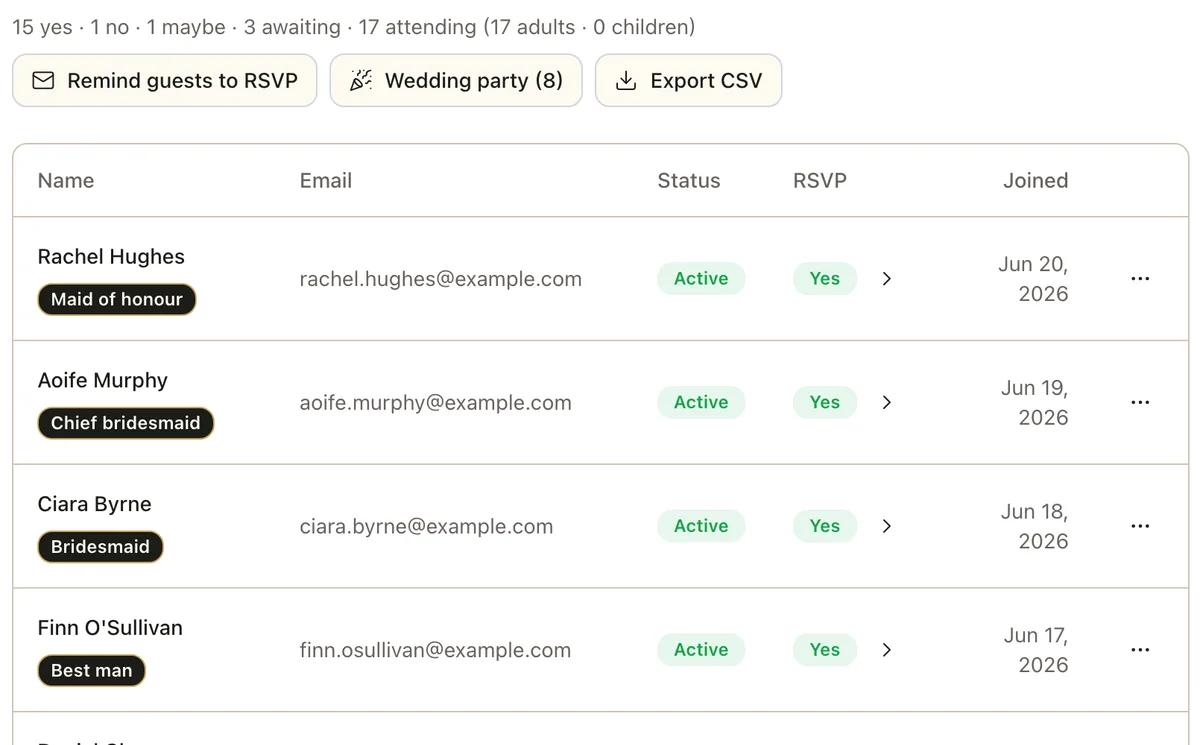
Your guest list totals the yes, no, maybe and awaiting answers at the top, with adults and children counted apart. Remind guests to RSVP emails only the people who have not replied or said maybe, never anyone who said yes or no. Export CSV gives you the whole list back.
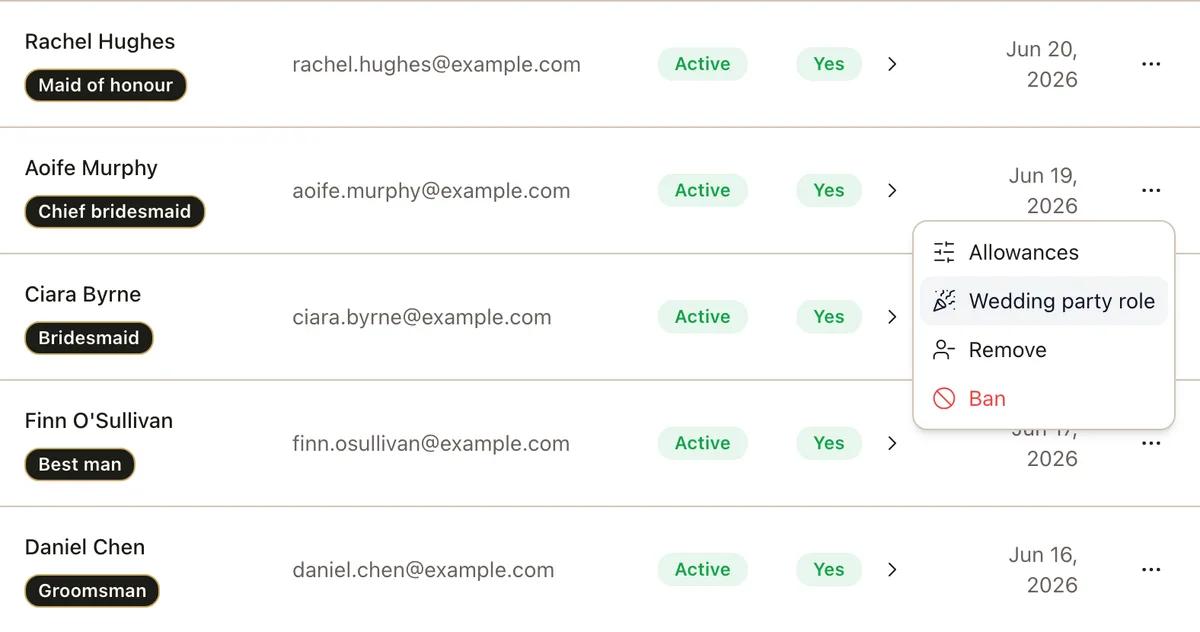
Set how many plus-ones and children an invitation may bring, from none to ten, once for the whole wedding and then differently for any single guest. Open a guest’s menu and choose Allowances.
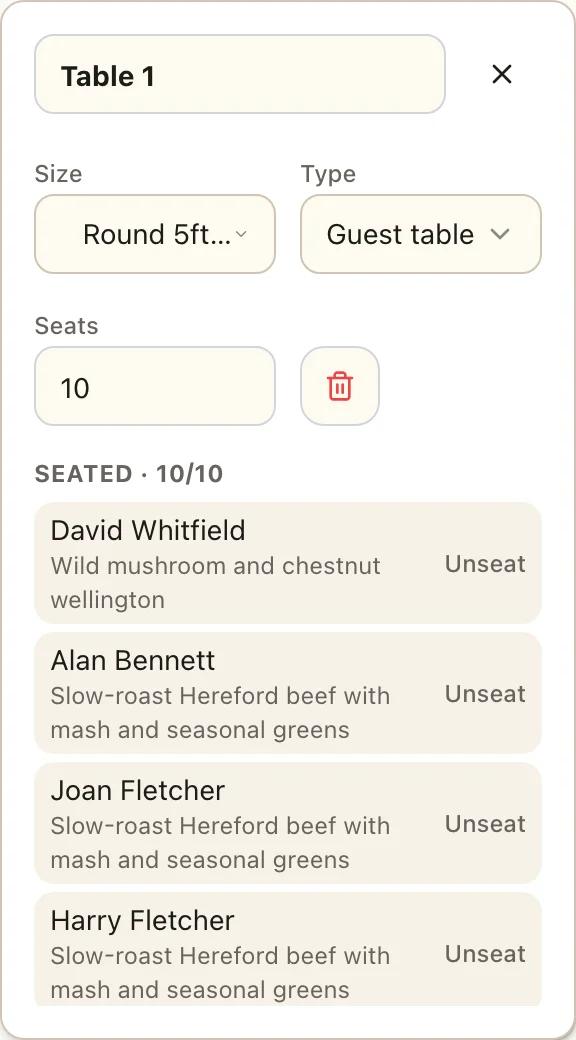
Every dietary note is gathered in one list, with plus-ones and children on their own lines, ready to pass on. The CSV export has one row for each person, and the seating plan shows the dish each seated guest chose.
A name is the only column you must have. After that, the useful ones are email (so each guest can be sent their own invite), RSVP (yes, no, maybe, or blank while you wait), plus one and children (so you can count heads), dietary requirements, household (who is invited together), table and side. Our blank template has all of them: Name, Email, Phone, RSVP, Plus one, Children, Dietary requirements, Table, Household, Side. The checker also understands other wordings, such as Attending, Coming, Allergies or Party.
On the Data tab choose Remove Duplicates and tick the columns to compare. It only removes rows that match in every column you tick, so “Sam Okafor” and “Okafor, Sam”, or a name with a stray space, both stay. The checker compares names after ignoring capitals, extra spaces, accents, titles such as Mr and Mrs, and “Surname, First” order, and lists each match by row number so you decide. Its cleaned CSV keeps the first row and fills any blank cells from the copies.
No. When you choose a file, your browser reads it into memory on your own device, the code on this page checks it there, and the cleaned copy is made there too. There is no upload, no account and no step on our servers, so we never see the names, emails or notes in your list. Close the page and it is gone.
CSV and Excel .xlsx files, up to 5 MB and 5,000 rows. Older Excel .xls files cannot be read: in Excel choose Save As and pick CSV or Excel Workbook. From Google Sheets use File, Download, and choose CSV or Excel. From Apple Numbers use File, Export To.
Fizz does not import a spreadsheet. Guests join from your wedding’s invite link or QR code and answer the RSVP themselves, so a checked list is your guide to who you send that link to. Their replies, plus-ones, children and dietary notes then arrive in your Fizz guest list on their own, and you can export it as a CSV.
Want the whole thing done for you? See the wedding rsvp in Fizz