Wedding invitations
Digital wedding invitations that open like the real thing
Each party gets its own link. The card opens with your names on it, then a few short cards ask who is coming. If you offer meal choices or song requests, guests pick theirs there too.
A demo invitation for Clara & Theo. Tap through the cards. Nothing is sent.
Everyone and everything in this demo is fictitious and AI-generated.
Choose how your invitation opens
Three open as a short film. Gold Rings is a card your guests pull down and turn over. Press play, or try it, to see each one made for a fictional couple. Yours carries your own names.

RoséWarm, sunlit and classic.A sunlit table, a glass of champagne and an envelope sealed with your monogram. The envelope opens to your card.On every planAI-generated film 
DuskQuiet, candlelit and handmade.A paper-cut evening scene. The film passes through an arch to a long table under lanterns, where your sealed card opens to show your names.On every planAI-generated film 
Pop-up bookA pop-up garden in a keepsake book.A linen-bound book sealed with wax. The seal cracks, the cover opens on a paper garden, and a page turns to show where your guests reply. Your names are printed on the cover.On Celebrate and ChampagneAI-generated film 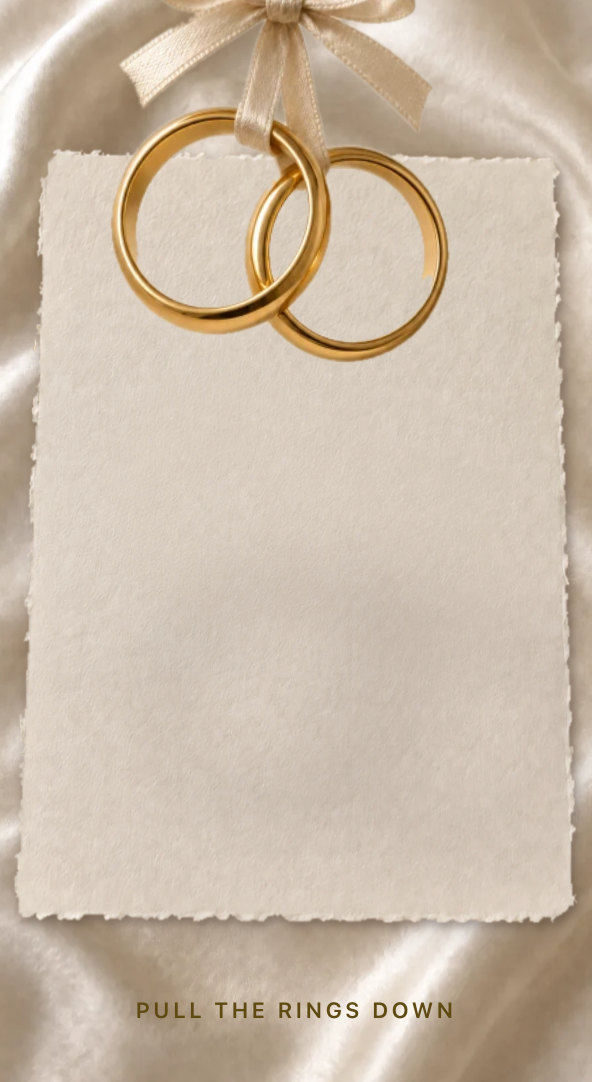
Gold RingsTwo gold rings, a ribbon, a card that turns.Pull the rings down and a gold illustration draws itself. At halfway the ribbon lets go and the rings fall onto your card, which turns over to your invitation and your reply cards.On Celebrate and ChampagneAI-generated artwork
Made for you
Your names, printed and pressed
Your names on the card
Your names are printed on the card and your initials are pressed into the wax seal. The film is made once, when you save your invitation.
Your own welcome
Write a welcome message in your own words. It is the first thing your guests read after the film.
Music, if you like
Choose a piece of music from the Fizz library to play with the film, or leave it silent.
How it works
From your guest list to their reply
Add your guests by party
One party is whoever goes on one envelope, named in your own words: "The Taylors", "Mei Chen and Tom Mitchell". Name everyone, or hold a place, such as "and children". Add parties one by one on the Guests page, or import a list on Celebrate and Champagne.
Send the invitations
Each party gets its own link by email, sent from your names via Fizz. If a guest replies to the email, the reply comes to you.
They open it and reply
The film plays, then a few short cards collect their reply: the events they are invited to, who is coming to each and, if you use them, meals and song requests.
Parties
One reply for the whole party
Everyone on the envelope answers for themselves, in one reply.
- Yes or no, for each person
- A meal for each person, where you ask for one
- Any dietary needs
Children are listed with their party and do not sign in. Everyone sees the whole menu, children's dishes are labelled "Children's", and anyone can be marked "No meal needed".
For the two of you
What you get back
Who has opened, who has replied
Your Guests page shows who has opened their invitation and who has replied.
Meals and dietary needs, already in place
Meal choices and dietary needs go straight into your seating plan and catering numbers.
Questions
How do guests open it?
Their personal link opens the invitation straight away, on a phone or a computer. They tick who is coming and send. If you had no email for them, Fizz asks for one, so they can get into your wedding page afterwards.
What if a link goes to the wrong person?
You can cancel that party's link and send a new one. The old link stops working straight away.
Can a party reply together?
Yes. One reply covers everyone on the envelope, and each person gives their own answer, meal and dietary needs.
Can I still share one link with everyone?
Yes. Share your wedding link or QR code with anyone. Someone on your guest list joins as themselves, with a six-digit code sent to their email. Someone not on your list joins the group you choose, waits for your approval, or cannot join while you have paused joining. Personal invitations keep working either way.
What happens after a guest replies?
Their answers appear in your guest list straight away, and their meals count towards your seating plan and catering numbers. They can then open your wedding page for the day's details and updates.
How long does the film take to make?
It is made once, when you save your invitation, and is usually ready within a few minutes. A badge on your dashboard tells you when it is ready.
Is it on every plan?
Yes. Invitations are included on every plan.
Can I invite some parties later?
Yes. Hold a party back, and send their invitation when you are ready, for a second wave of invitations. Nothing is sent to them until you do.
Who can sign in and reply?
Everyone who signs in is 18 or over and confirms it for themselves. Each adult signs in as themselves and can add their own email. Children are listed with their party. They do not sign in, and they still count for meals and seats.
Send an invitation worth opening
Start your wedding page, add your parties and send.