the day, in order
The day, minute by minute, for everyone who needs it
Build one timeline for the wedding day. Guests see what is for them, your wedding party sees their extra jobs, and every time is the venue's local time, wherever your guests are travelling from.
one plan, the right people
Everyone sees the day. Your wedding party sees their jobs too.
Times that are right in any timezone
You choose the venue's timezone once, and every time is shown as the venue's local time, labelled as it is on the wedding day (British Summer Time, for example). A guest flying in from another country reads the same hour as everyone else.
One timeline for the whole day
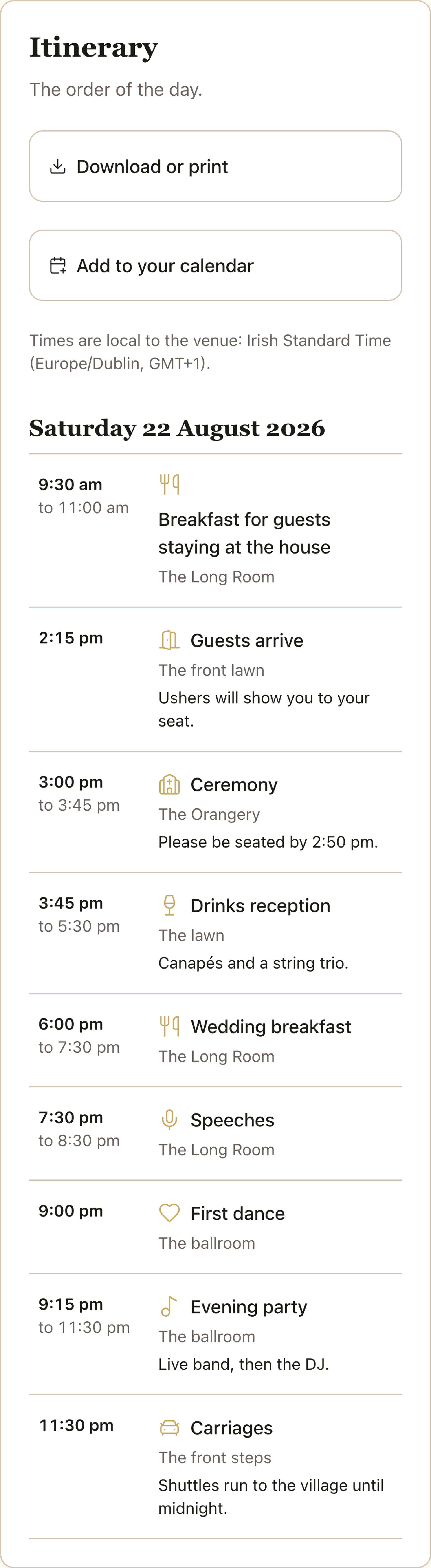
Add each moment with a start time, an optional end time, a location and notes, or start from a template for the wedding day, welcome drinks or a farewell brunch and change anything you like. Items are grouped by day, so an evening before or a brunch after sits beside the wedding itself.
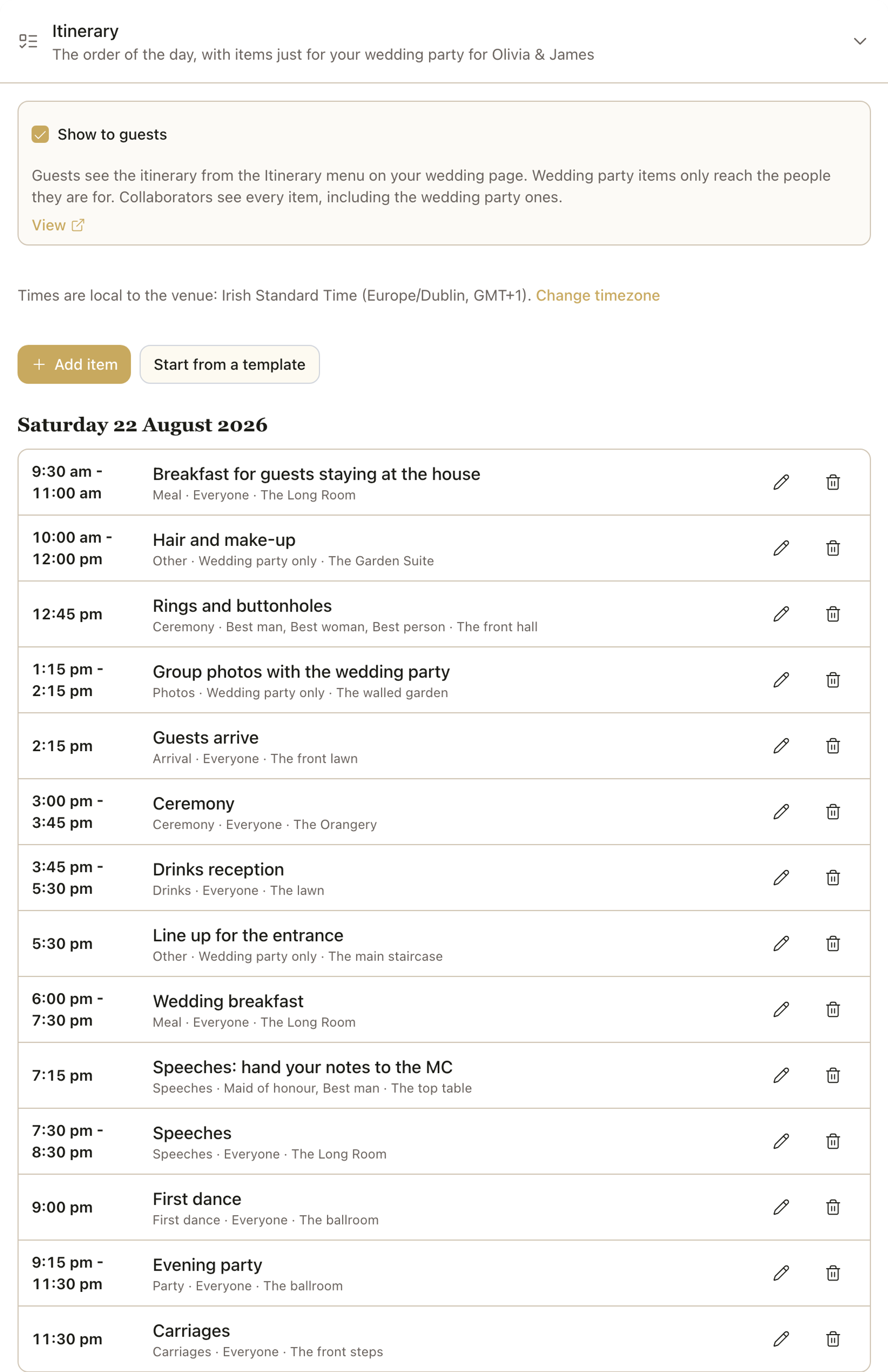
Items just for your wedding party
Show each item to everyone, to the wedding party only, or to specific roles, such as the best man and the ushers. It is enforced in the database, so a guest is never sent an item they are not meant to see. Roles are set on your guest list.
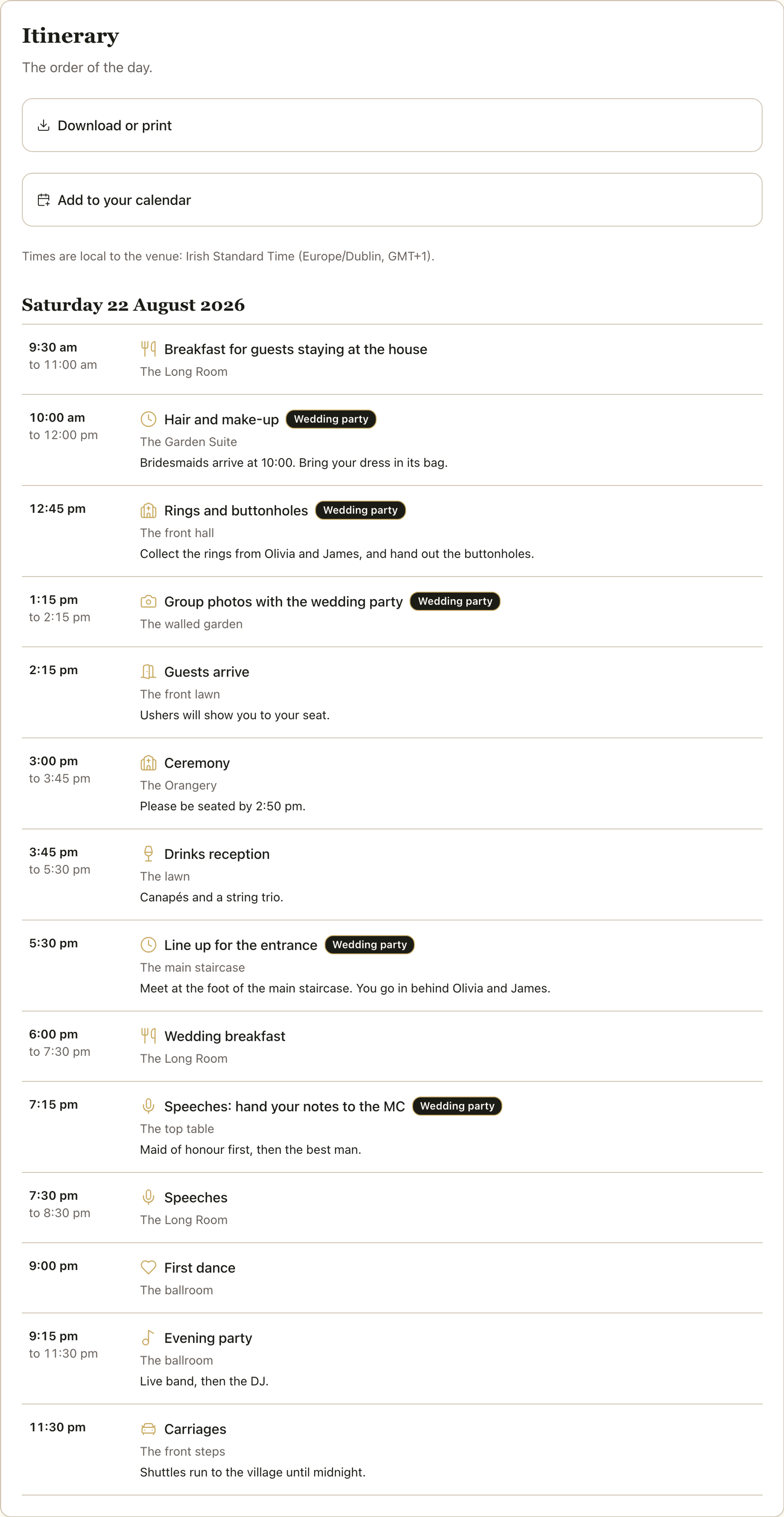
Preview as anyone before you publish
See the itinerary as a guest outside the wedding party, as someone in it, or as any single role. Nothing reaches guests until you switch on Show to guests, and you can hide it again whenever you like.
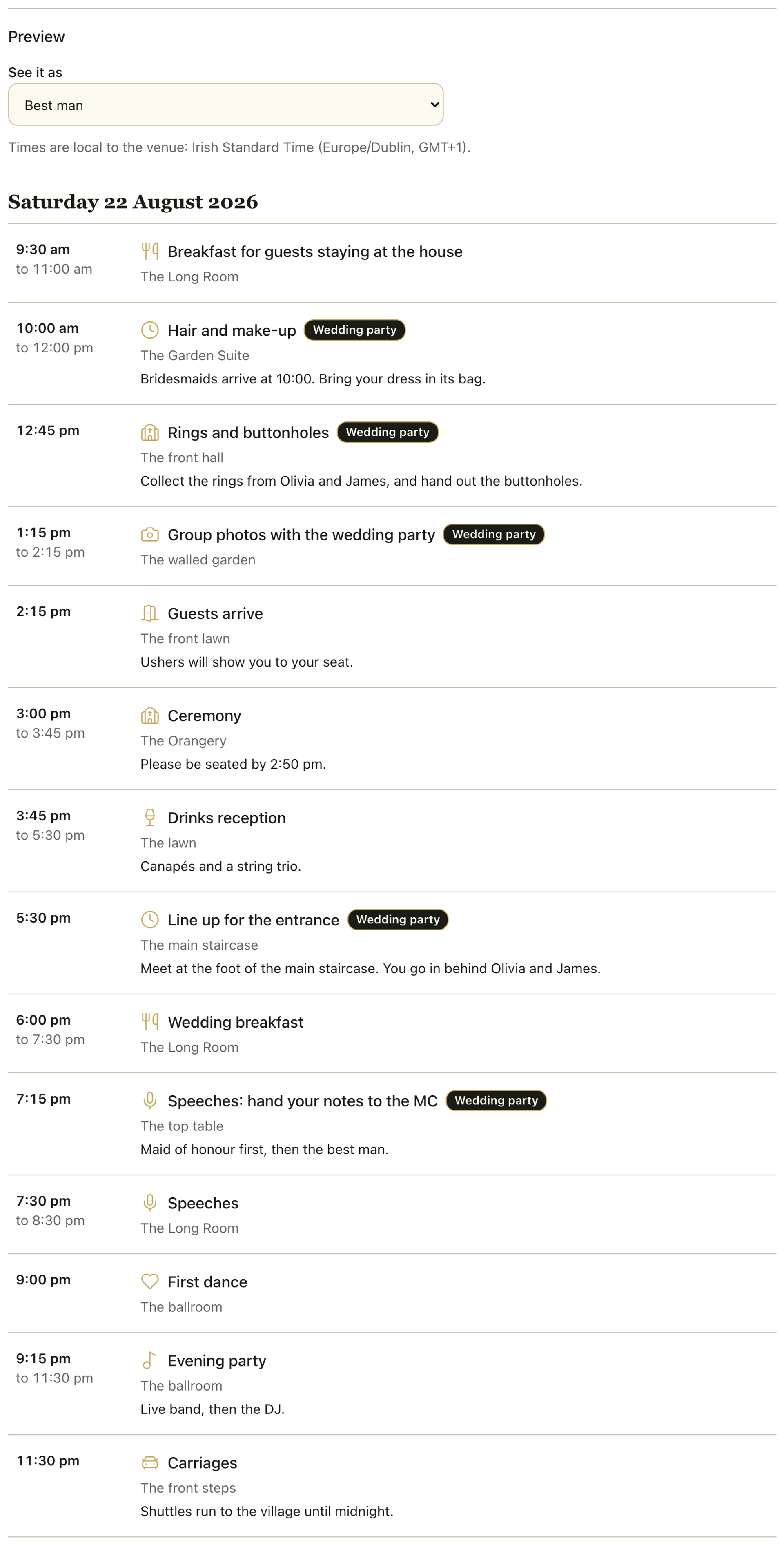
Print it, save it or share it, in your colours
Download the itinerary as an A4 or A5 PDF, or as phone-sized images, made in your browser in your wedding's colours. The PDF text is searchable and copyable. Print styles depend on your plan: Signature is on every plan, Modern Minimal and Botanical come with Celebrate, and Art Deco and Handwritten with Champagne. Guests can download their own copy in the style you choose.
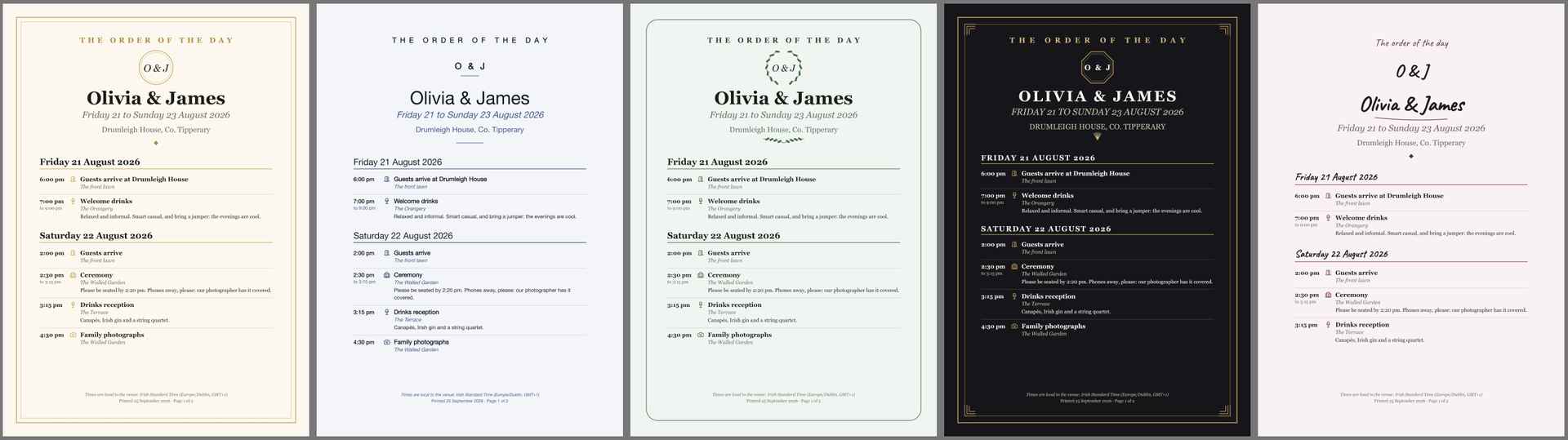
On every guest's phone and in their calendar
Guests open the Itinerary from the menu on your wedding page, in the browser on any phone or laptop. They can also add the day to their own calendar, once as a file or as a subscription that updates when you change a time. Each guest gets only their own items, in the venue's local time. The Fizz app, coming soon, will show the same schedule.
How it works
Choose the venue's timezone
Open the Itinerary section for your wedding in Manage and say where the wedding is. Every time you add is then read as the venue's local time.
Add the day, or start from a template
Use Add item for each moment, or Start from a template for a ready-made wedding day. Choose who can see each item: everyone, the wedding party, or specific roles.
Preview it, then show it to guests
Check it as a guest and as each role, then switch on Show to guests. Guests find it in the Itinerary menu on your wedding page.
Common questions
Which plans include the itinerary?
All of them. The itinerary is not limited to a particular plan, so you can build it as soon as you have a wedding page. Printing in the Signature style is on every plan too, and the other print styles depend on your plan.
Can guests see the items meant for the wedding party?
No. Who can see each item is enforced in the database, not just hidden on the page, so a guest outside the group is never sent those items. Use Preview to check exactly what each kind of guest sees.
How do the times and timezones work?
You choose the venue's timezone once. Every time is shown as the venue's local time and labelled as it is on the wedding day, so a destination wedding reads the same for everyone, wherever they are travelling from.
Who counts as the wedding party?
You set roles on your guest list: maid of honour, best man, bridesmaids, groomsmen, ushers and more. Only guests with their own invitation can be given a role, so someone who is only a plus-one on another guest's RSVP cannot have one.
Can my planner help, and can I give suppliers a copy?
Yes. Collaborators you invite can build the itinerary with you and see every item. You can also download it for guests, for the wedding party or for one role, or as a full run sheet with every item tagged with who it is for and marked not for guests.
Can guests add the itinerary to Google or Apple Calendar?
Yes. A guest can add the day once as a file that works in any calendar app, or subscribe so their calendar follows your changes. Pick one, or entries appear twice. Subscriptions refresh on the calendar app's own schedule, so Google Calendar can take 8 to 24 hours to show a change. The link is personal to that guest, so it should not be shared, and it stops working if they leave the guest list. There are no reminders.
Can guests print the itinerary?
Yes. Guests can download their own copy from the itinerary page, as a PDF or phone-sized images, in the style you have chosen for your wedding. It is built only from what they can already see, and it says when it was printed. On a phone the button becomes a share sheet.
Will it be in the Fizz app?
The Fizz app is coming soon and will show the same itinerary, and guests will be able to share the schedule as plain text. Until then, guests open it on your wedding page in any browser.
AI-generated image
Olivia, James and their guests are fictitious, and the people and photos are AI-generated. The guest app shown is coming soon.
Ready to put the day in order?
The itinerary is included on every Fizz plan. See the plans and pricing, or explore the live demo wedding.