
AI-generated image
the money, in one place
A wedding budget that keeps up with your guest list
Set a total, hold some back for surprises, split the rest by category and track every payment. Costs that depend on guests change as people reply.
one sum, no surprises
Know where the money is going, and what is still to pay.
One plan for the whole sum
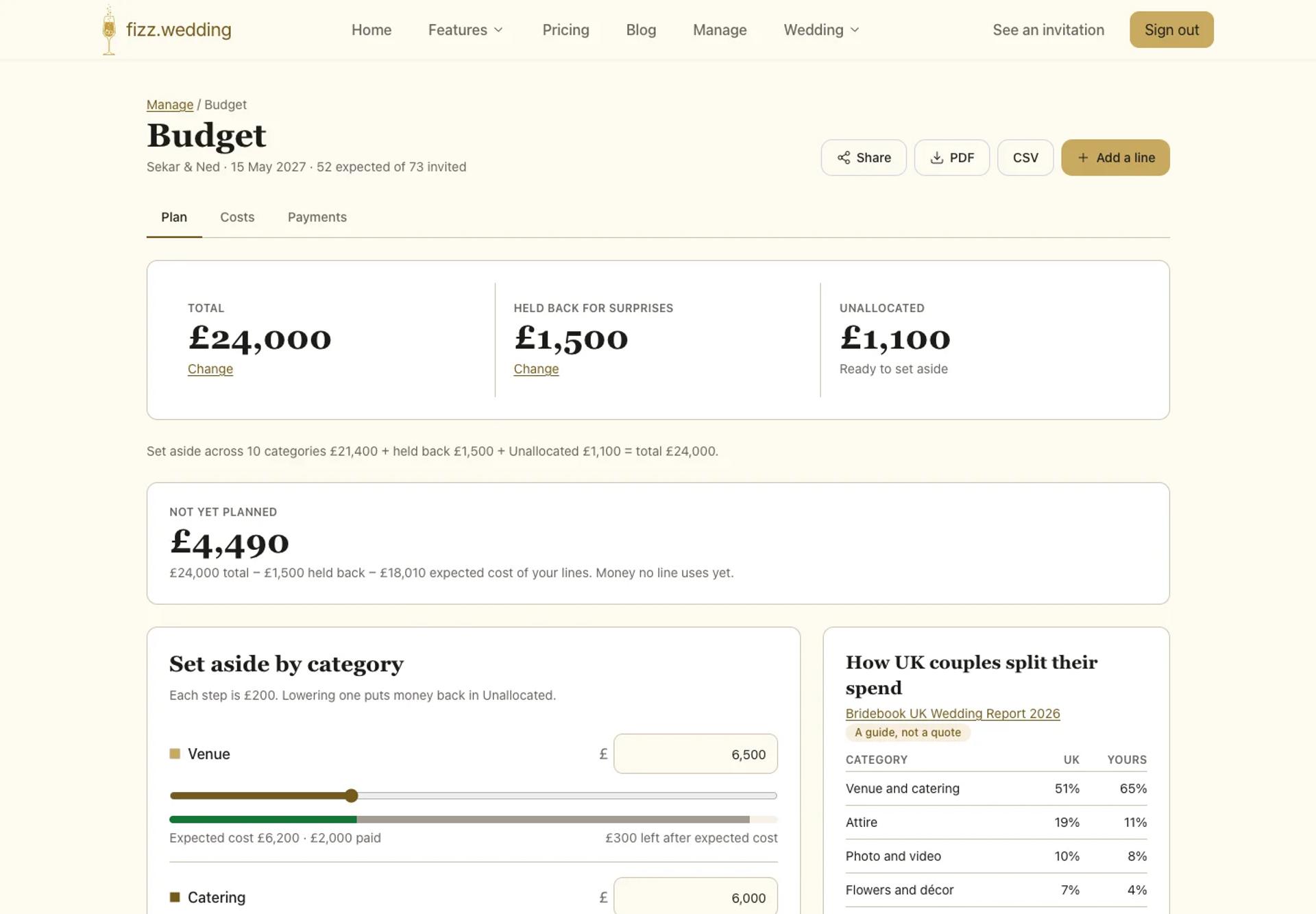
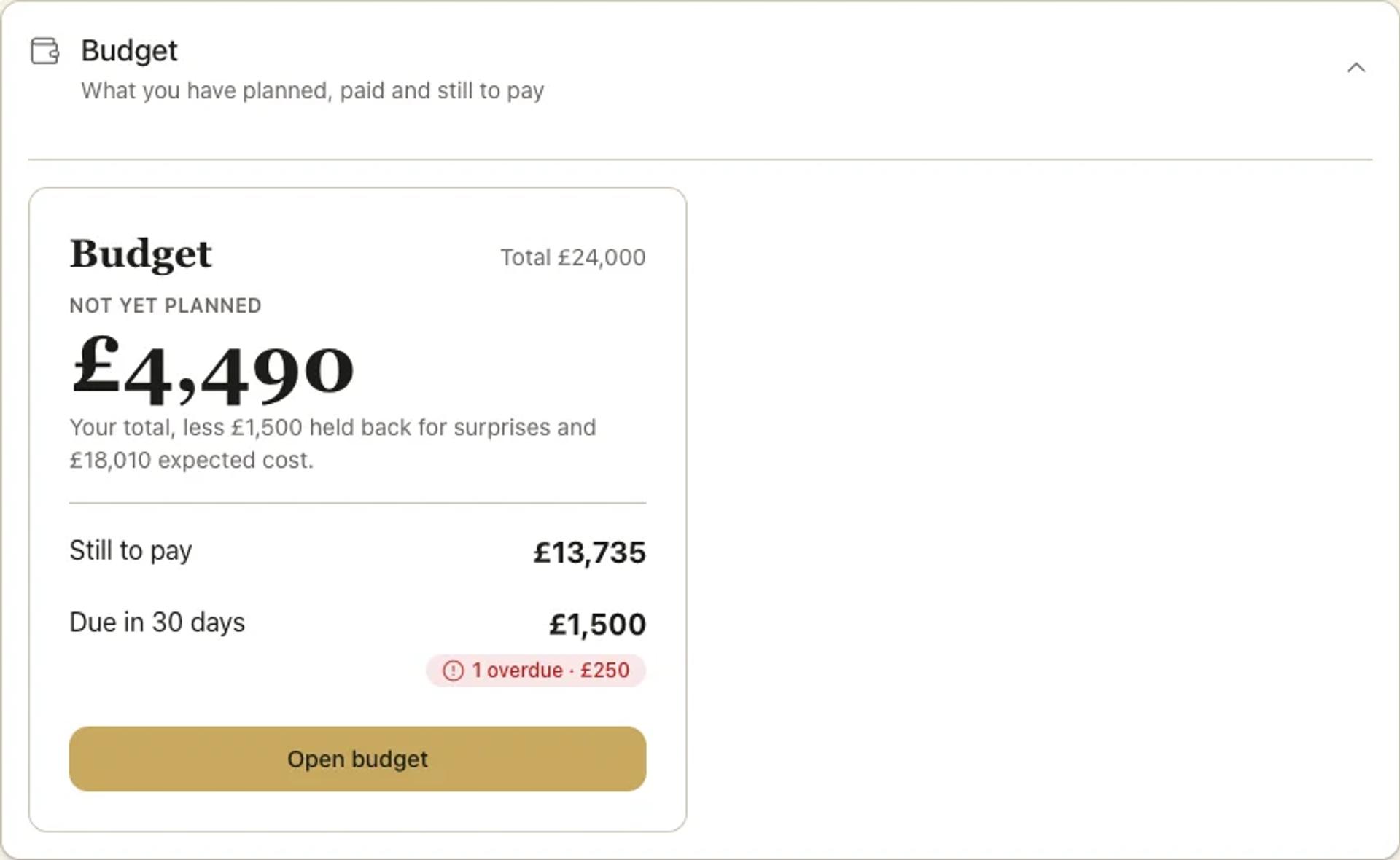
Type your total, choose an amount to hold back for surprises and set money aside for each category. The amounts always add up to your total, so every trade-off is visible.
Costs that follow your guest list
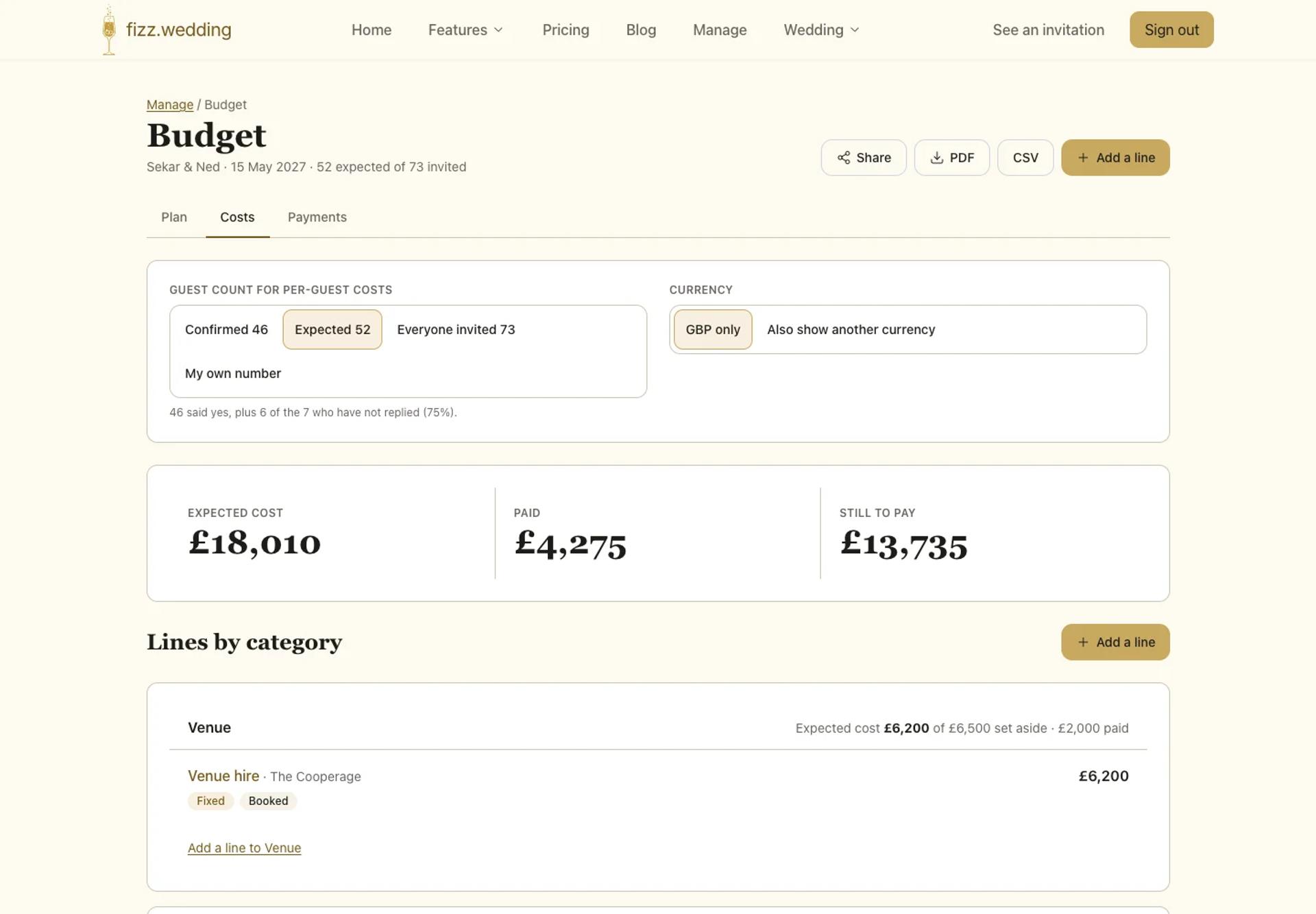
Price a cost per guest, per table, per hour, per item or as a fixed amount. Per-guest costs use confirmed guests, expected guests, everyone invited or a number you choose.
Every payment and its due date
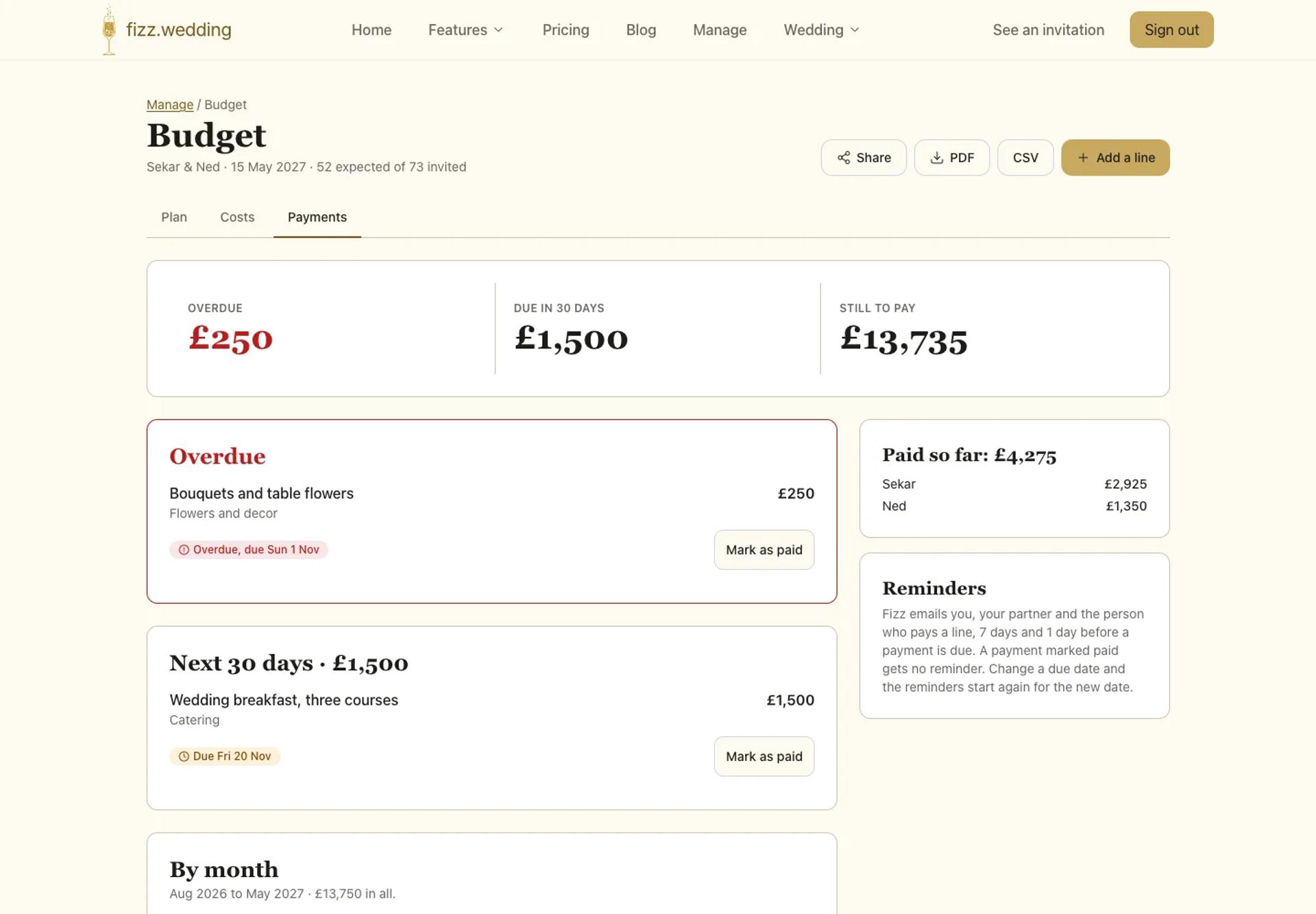
Record each deposit and balance. See what is overdue, what is due in the next 30 days and what is still to pay. Fizz emails reminders 7 days and 1 day before a payment is due.
A guide for where to start
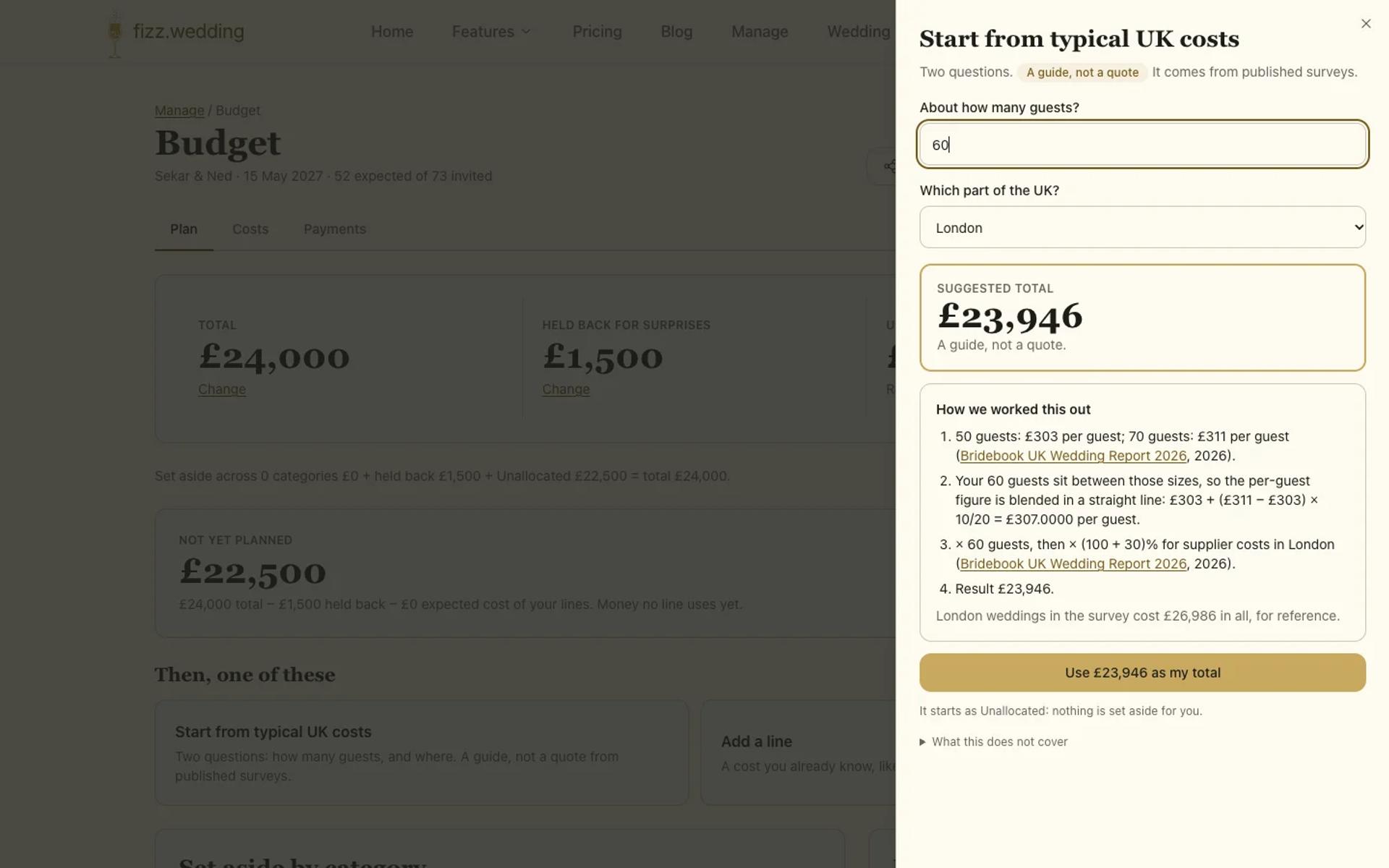
Answer two questions, how many guests and which part of the UK, and see typical costs with the source and year for every figure and the sum worked out step by step. It is a guide, not a quote.
Share it with the people who help
Share the budget with your planner, who can see and change costs and payments, or with someone paying a supplier, who sees only their own lines. Download it as a PDF or CSV.
How it works
Set your total
Open Manage, then Budget. Type your total, choose an amount to hold back for surprises and set money aside for each category.
Add your costs
Add each cost as a fixed amount or a price per guest, per table, per hour or per item. Costs that depend on guests follow your guest list as people reply.
Track every payment
Add each payment with its due date and mark it paid when you pay. Fizz shows what is overdue and what is due in the next 30 days.
Common questions
Which plans include the budget?
All of them. The budget is part of every Fizz plan, so you can start as soon as you have a wedding page. See the pricing page for what each plan includes.
How do I plan and track my wedding budget?
Open Manage, then Budget. The Plan tab holds your total, what you hold back and what you set aside for each category. The Costs tab holds each cost. The Payments tab holds what you pay and when.
Where do the typical UK costs come from?
From the Fizz Wedding 2026 Cost Study, built from published UK prices, not what couples spent. We priced a full-day venue wedding from what UK suppliers, venues and councils publish, and the help centre explains how we did it. Every figure shows its source and year, and the sum is worked out step by step. They are a guide for where to start, not a quote, and you can change every line.
Can my planner or my parents see the budget?
Yes, if you choose to share it, and only with people who already help as collaborators. A planner sees every cost and payment and can change them. A payer sees only the costs you give them to pay.
How does the budget handle another currency?
Choose the currency of each cost. Fizz converts it to your main currency at the latest daily rate, and a figure shows the date of the rate it used. You can type your own rate instead, such as the one your bank gave you.
Will Fizz remind me about payments?
Yes. Fizz emails you, your partner and the person who pays that cost, 7 days and 1 day before a payment is due. A payment you have marked paid gets no reminder.
Ready to see where the money goes?
The budget is included on every Fizz plan. See the plans and pricing, or explore the live demo wedding.