everyone you are inviting
A guest list is more than names. It is parties, sides and who comes to what.
Your aunt's family of four, the friends from university, the colleagues coming for the evening. Add each party once, sort them into groups and watch every answer arrive. Already have a spreadsheet? Bring it with you.
parties, not rows
One list for the whole wedding. Every party, every group, every answer.
Everyone answers for themselves
Each guest replies to every event they are invited to, so you know who is at dinner and who is only at the party. The Guests page shows every answer, with filters for group, side, how they were invited and reply. Download CSV gives you a copy.
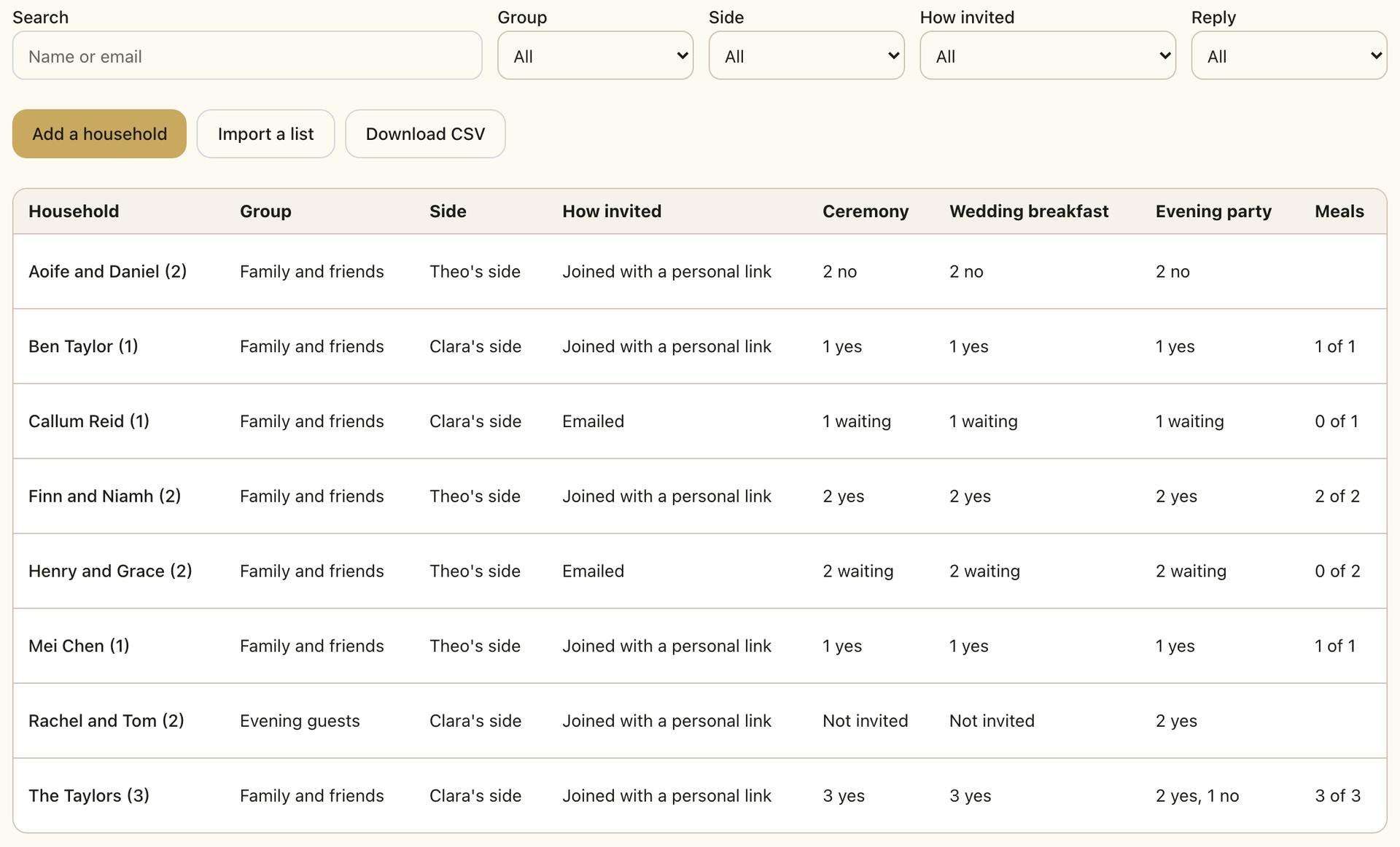
Parties, not rows
Invite a party, not a row of names: one friend, or a family of five with a main guest. Give each party a side and a group. The group decides which events they are invited to.
Bring the list you already have
Started in a spreadsheet? Choose the file, check the preview and import. Download the template first to see the layout. Importing comes with the Celebrate and Champagne plans.
One link for everyone
Share one wedding link and one QR code. Guests on your list join as themselves. Someone not on your list joins the group you choose, or waits for your approval if you switch that on.
A second wave, when you are ready
Waiting on numbers before you invite everyone? Hold a party back. They stay out of your guest count until you send their invitation. You can pause joining at any time.
How it works
Add your parties
Type them in, or import a spreadsheet.
Choose their groups
Each group is invited to the events you choose.
Send and share
Send personal invitations, and share your wedding link.
Watch the answers arrive
The Guests page shows each person's reply as it comes in.
Common questions
Can I invite some guests to only part of the day?
Yes. Put them in a group, and choose which events that group is invited to. Guests see only the events their group is invited to.
Can children reply?
Children are guests under 18. They can't use the website or the app; an adult in their party replies for them.
Does everyone count towards my guest limit?
Everyone on your list counts towards your guest limit. Someone who says no to everything stops counting.
Can I import my list from a spreadsheet?
Yes, on the Celebrate and Champagne plans. Choose a CSV or Excel file, check the preview, then import.
Can a planner help with the list?
Yes. A collaborator you invite can add parties, import a list, download the list and change a party's side or main guest.
Try it free first: Guest List Checker.
Start with the people who matter
Add your first party in a minute. The pricing page shows what each plan includes.