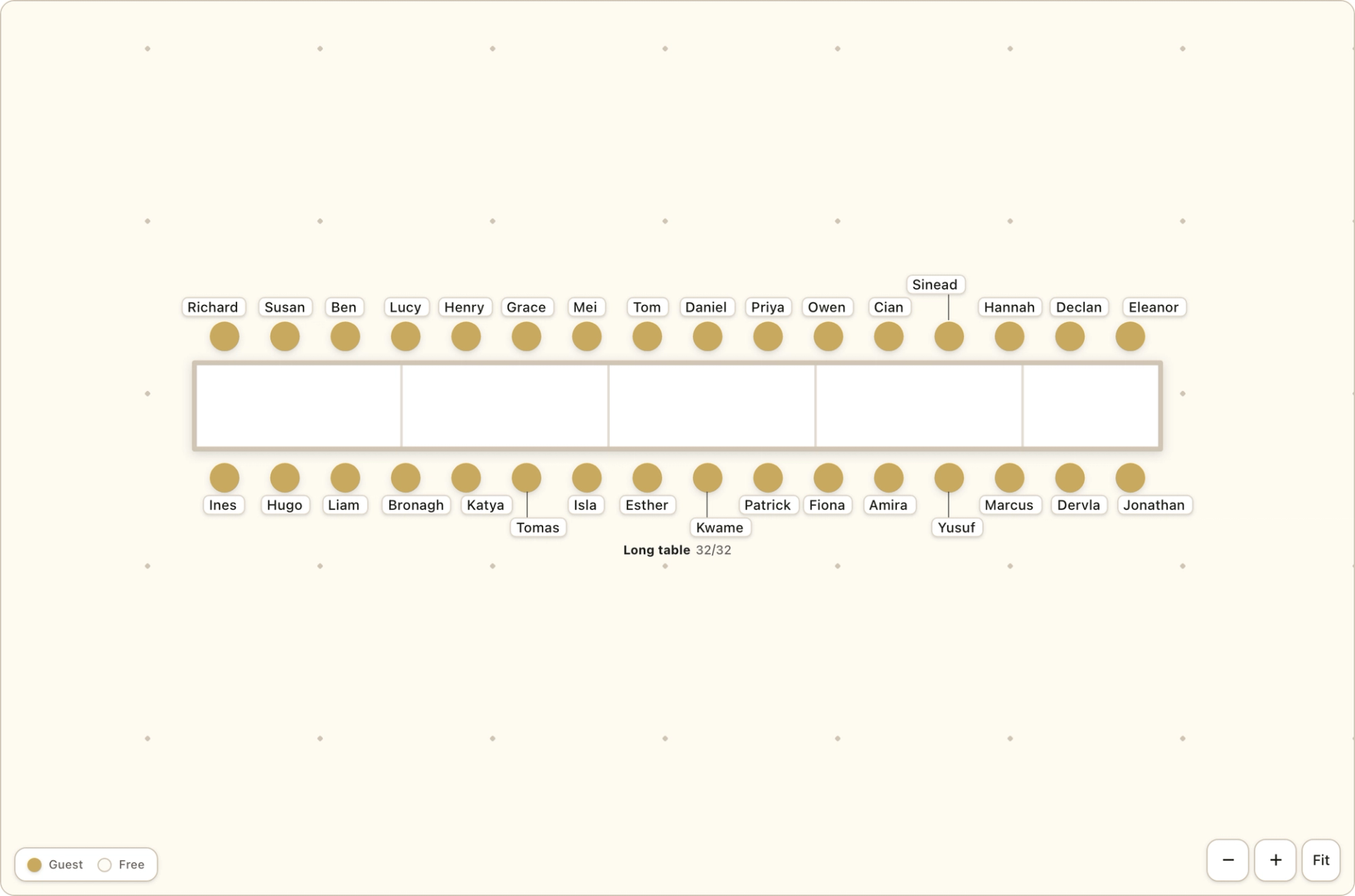
Banquet row
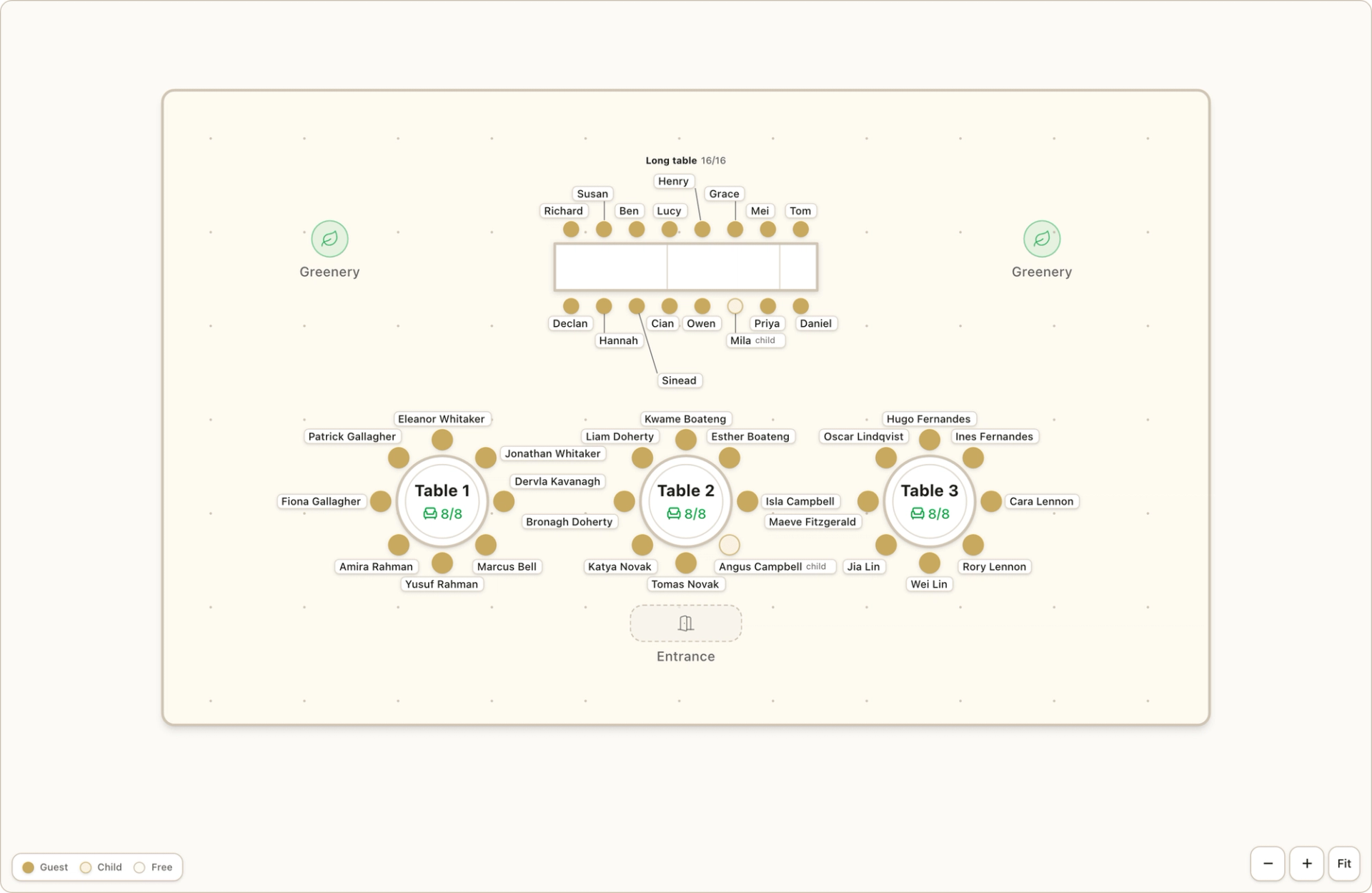
Trestles joined into one long row with a seam every 6 ft, seated on both sides or on one. Made for long family tables and friend groups.
8 to 56 seats with both sides, 4 to 24 on one side
Lay out your room, then drag guests straight from your live RSVP list onto tables, or let Fizz arrange everyone in one tap, households kept together and your rules respected. When it’s ready, one toggle shows every guest exactly where they’re sitting. No spreadsheets, no sticky notes, never out of date.

Pick the style that suits your day and both your planner and your wedding website switch to it: Classic, printed Stationery with every name radiating around its table, or an architect’s Blueprint of the room. This is a live demo with fictional guests, so try all three.
A printed seating chart with names around each table
91 guests across 8 tables
A live demo with fictional guests, exactly as your guests will see it. Tap a table to see who’s seated there, or search a name to find their seat.
Beyond round and rectangular tables, the planner draws five longer layouts. Each is one table on your plan, with chairs that grow with the seat count and seat numbers that run in order round the edge, so a household seated in list order sits together.
Trestles joined into one long row with a seam every 6 ft, seated on both sides or on one. Made for long family tables and friend groups.
8 to 56 seats with both sides, 4 to 24 on one side
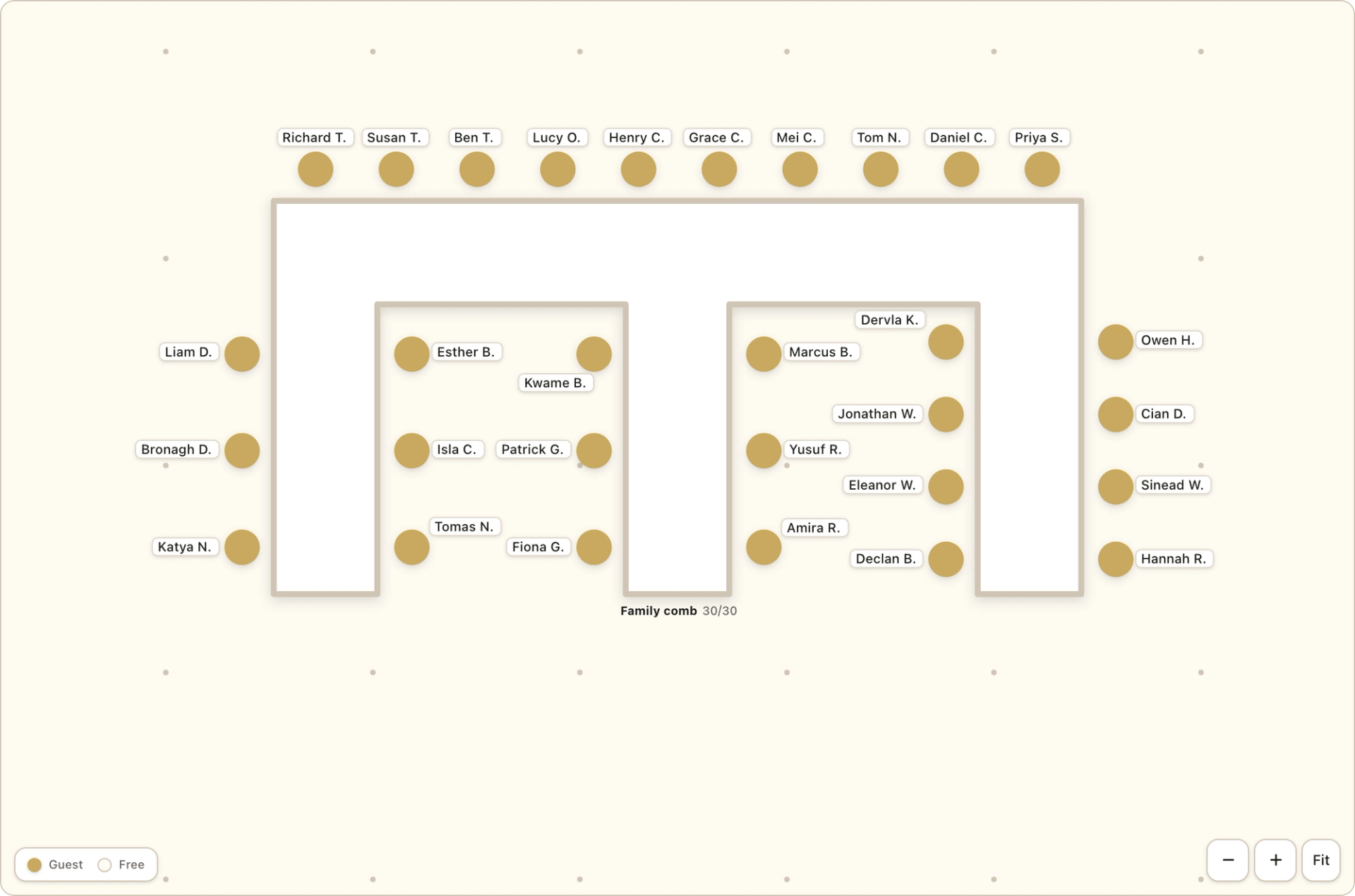
A head table with legs running out from it. Good for one big family, or a whole side of the guest list, at a single table.
4 seats per leg, up to 74 to 80 in all
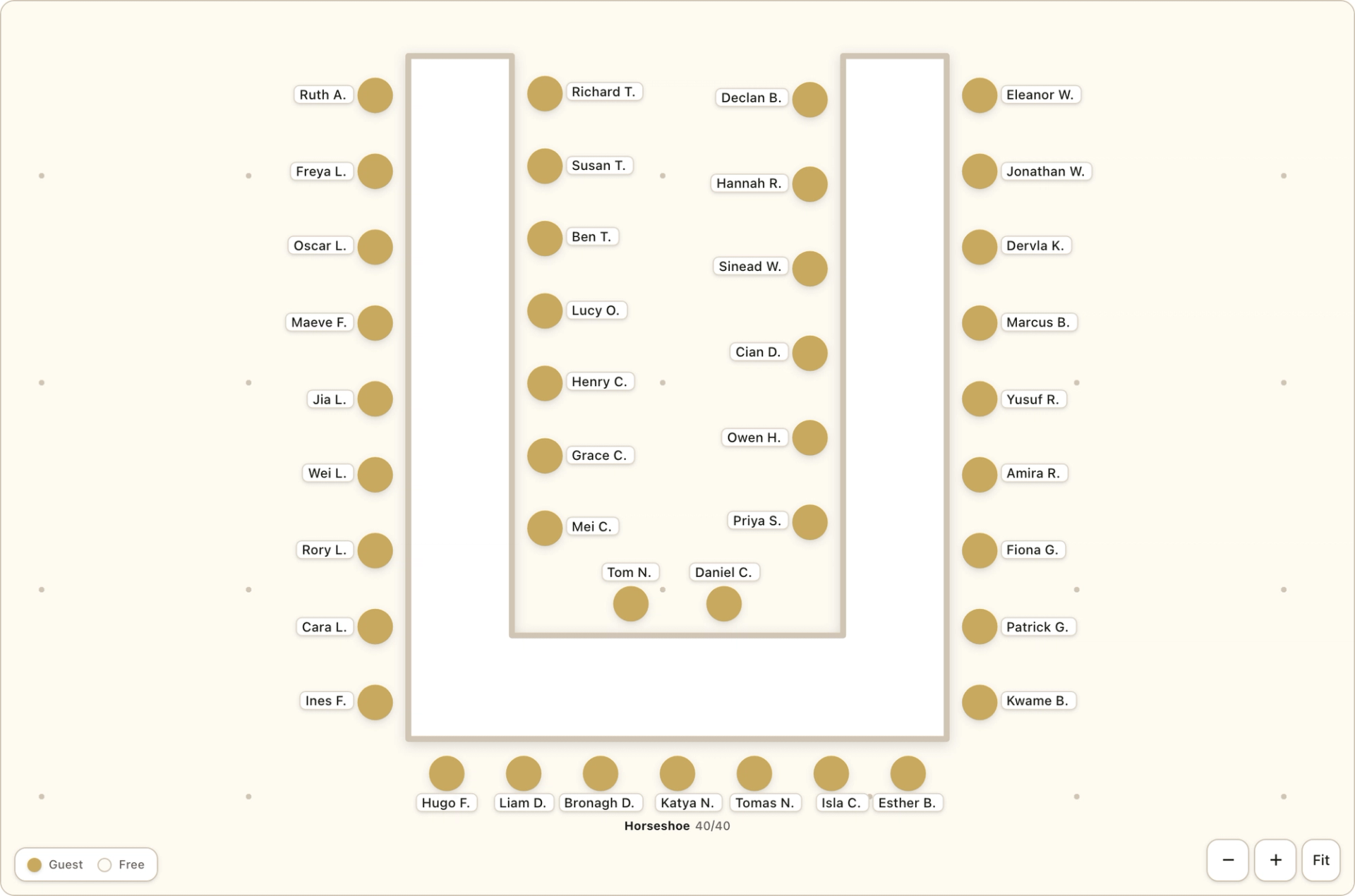
A U shape with a clear service space inside. A classic for a top table, or for a group that wants to face each other.
12 to 40 seated outside, 20 to 60 on both sides
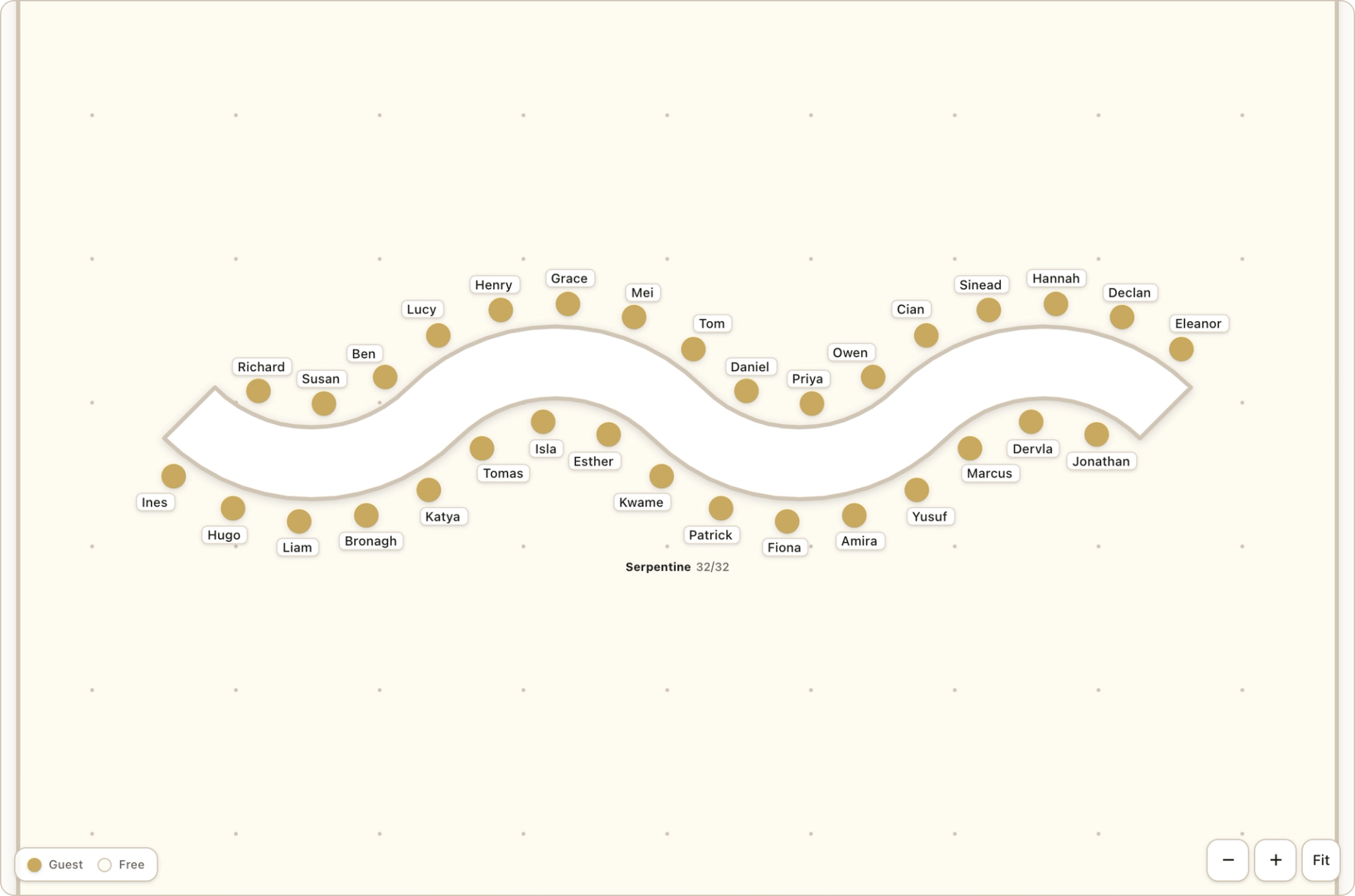
A wave of curves that snakes through the room, for when you want a flowing table instead of straight lines.
2 to 5 curves, 6 to 50 seats in all
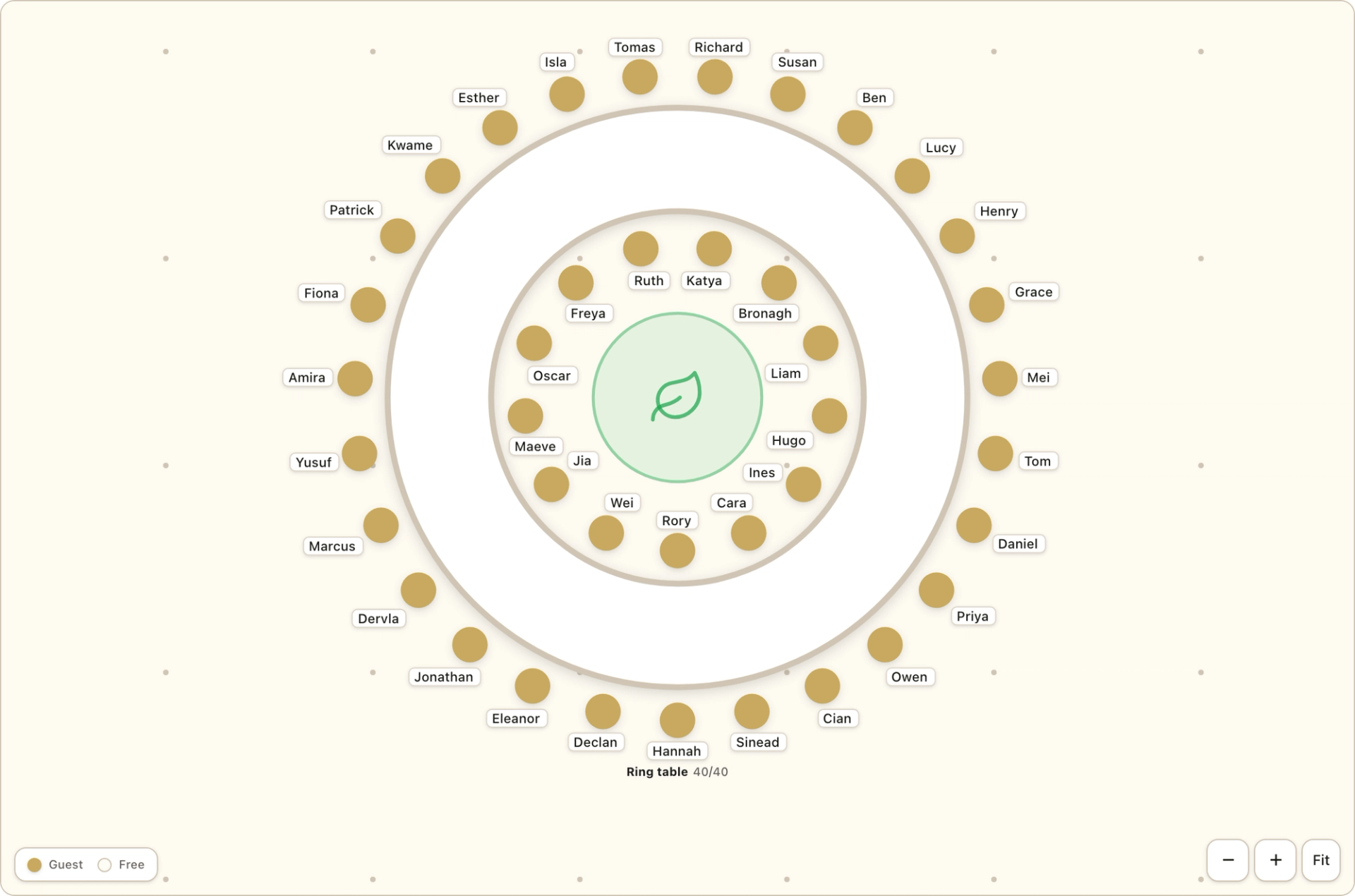
A large ring with flowers in the middle. Seat guests outside, or inside and out, for one big table with a centrepiece.
16 to 40 seated outside, 32 to 60 inside and out
Start from a one-tap layout sized to your confirmed headcount, then make it yours: round and rectangular tables, five longer layouts (banquet rows, combs, horseshoes, serpentines and large rings), a top table or sweetheart table, the dance floor, the band, the bar, even the greenery. Each chair shows the name of the guest sitting in it, so you can read the whole room at a glance.
Give anyone on your guest list a wedding party role, from maid of honour to best man, and their chair on the plan gets a gold rim, with Wedding party in the legend. Tap Arrange for me and the top table fills in rank order, keeping two seats for you and your partner (none if you have a sweetheart table). It only places people who are not seated yet, and anyone who did not fit is named. Guests never see roles on the plan.

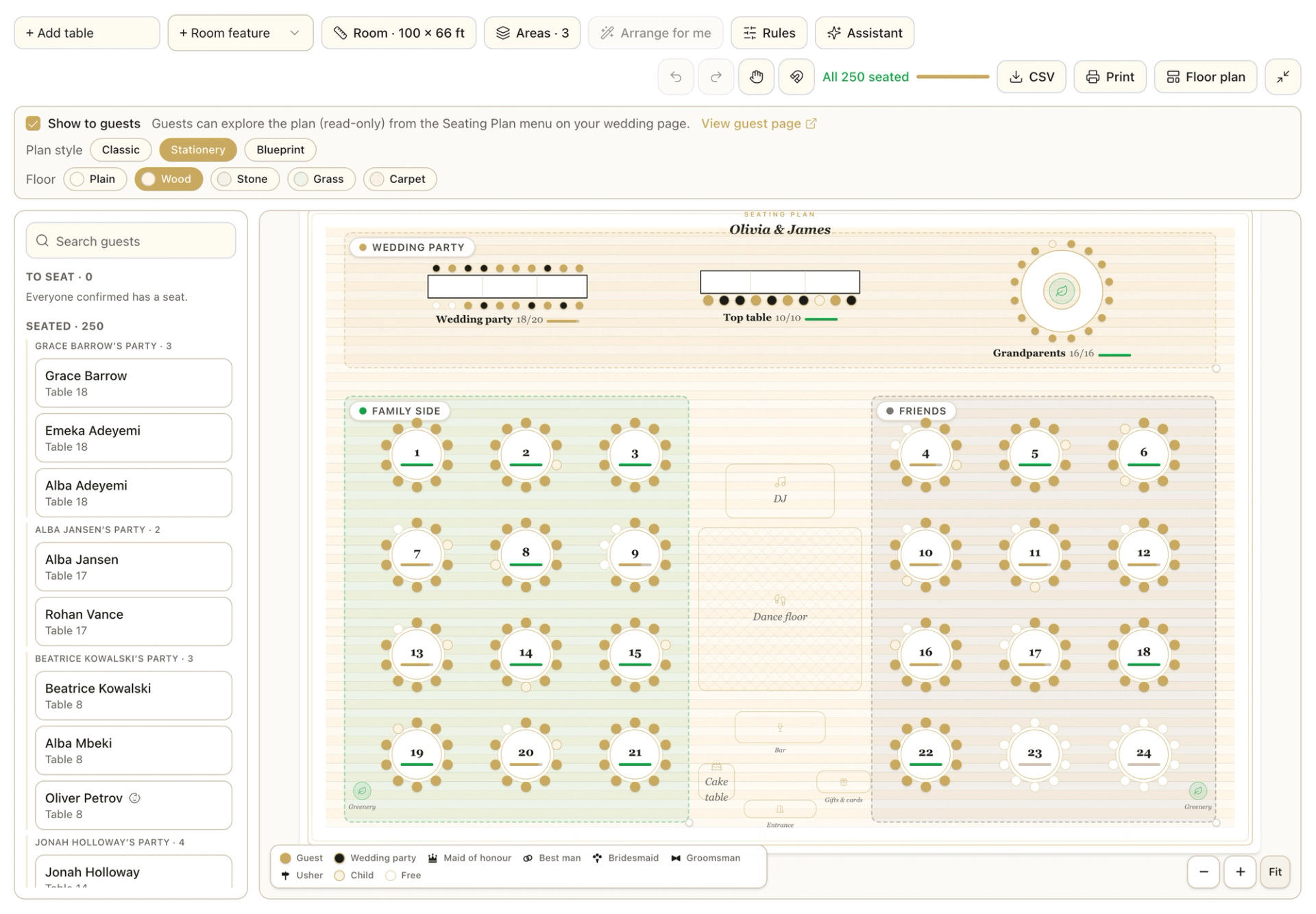
Your guest list lives beside the plan, fed by live RSVPs and grouped by invitation, so you always know who came with whom. Children are flagged, and on the Champagne plan every name carries the guest’s meal choice and any dietary note they wrote. Drag anyone onto a table, or tap Arrange for me: couples and plus-ones stay together, your “sits with” and “apart from” rules are honoured, and nothing is ever hidden, anyone who could not be seated is listed, and one tap undoes it all.
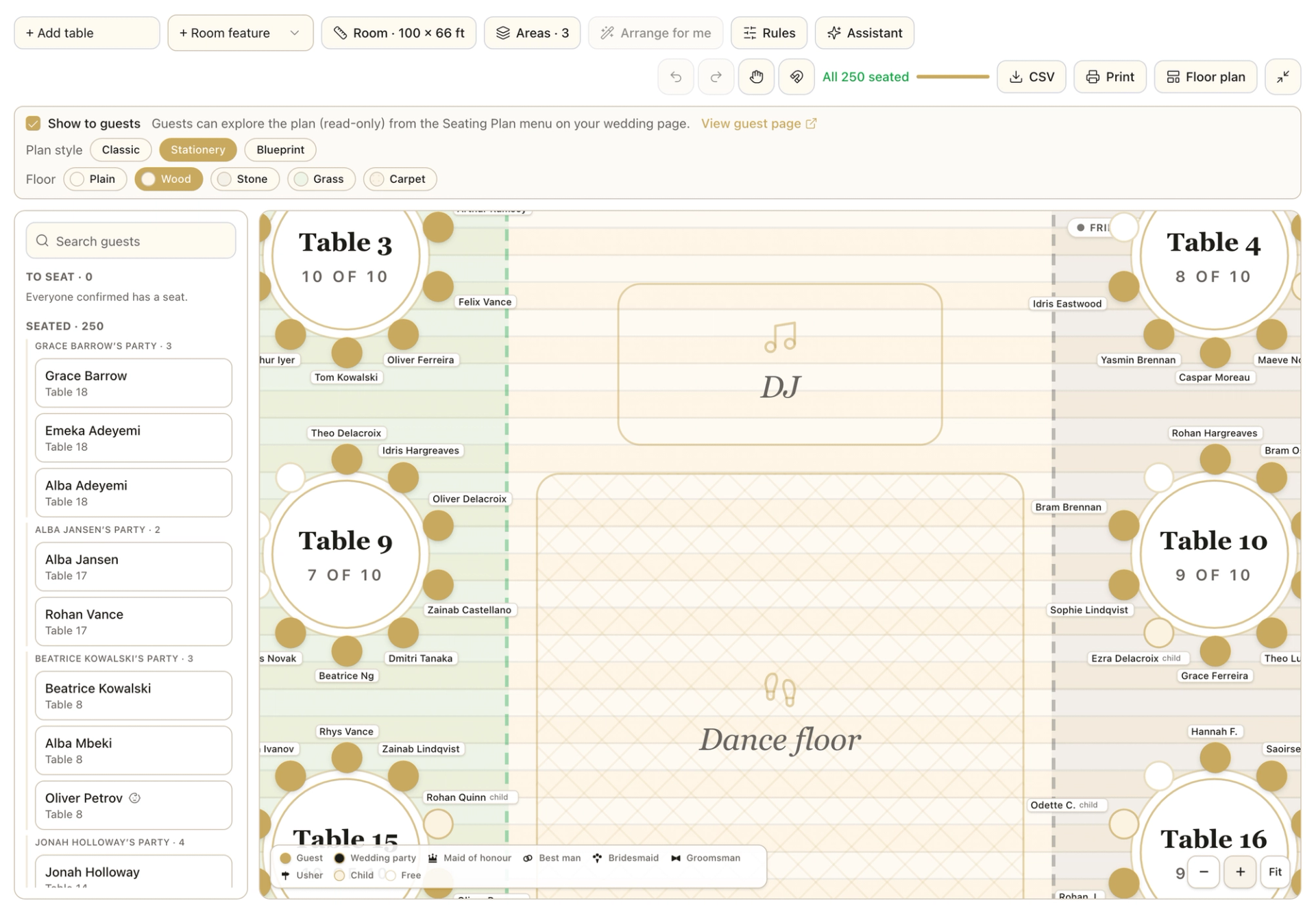
A table plan is really a conversation plan. Drag any guest around their table until the neighbours are right, drop them on an empty chair across the room to move them, or drop them on another guest to swap the pair. Every chair is a real position, not just a headcount, so granny is next to the right cousin, and the two friends who have never met but absolutely should are side by side.

Stuck on the awkward table? Ask in plain language: who still needs a seat, where the Reillys should go, how to keep two particular guests apart without it showing. The assistant knows your plan and your RSVPs, explains its thinking, and proposes changes you apply with one tap, nothing moves until you say so, and applied seating comes with an Undo. Included on the Celebrate and Champagne plans.
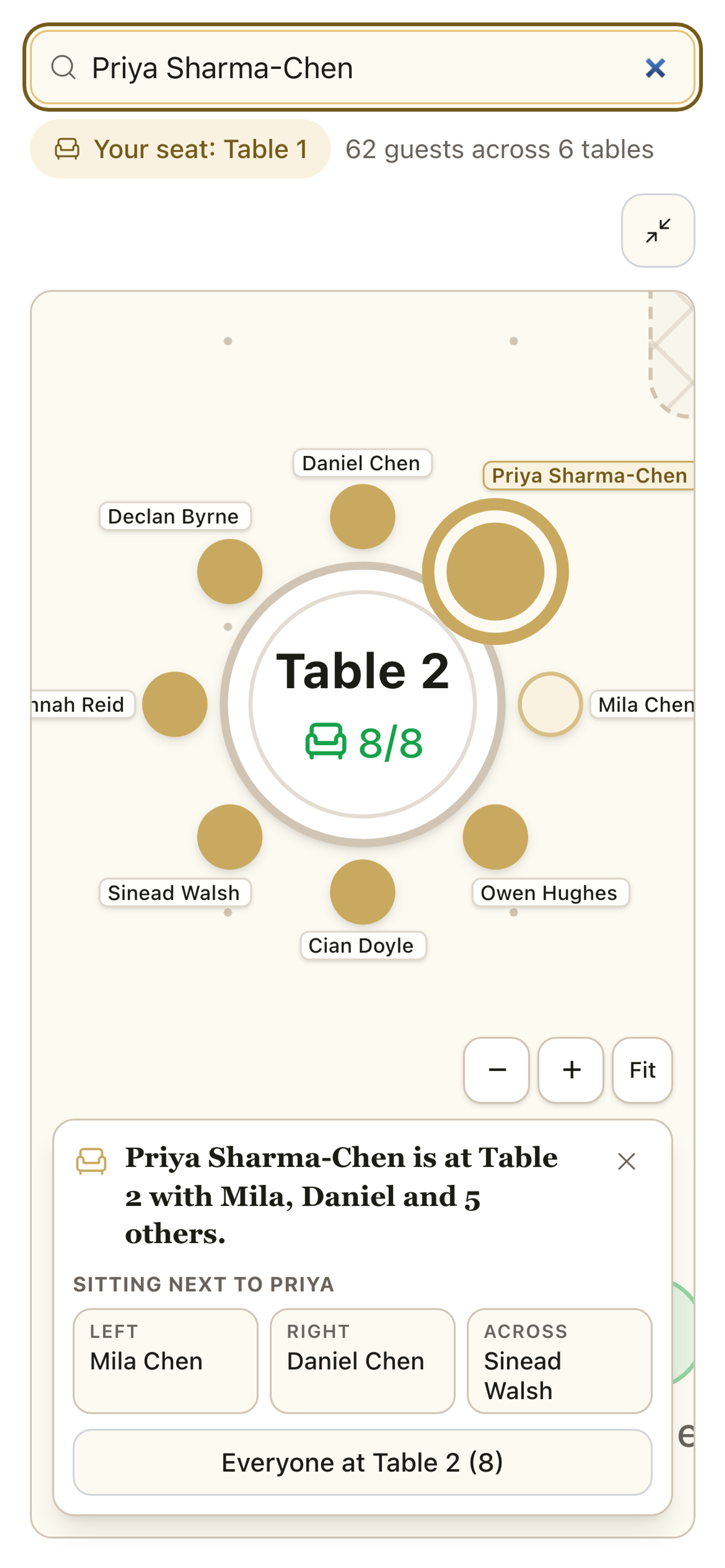
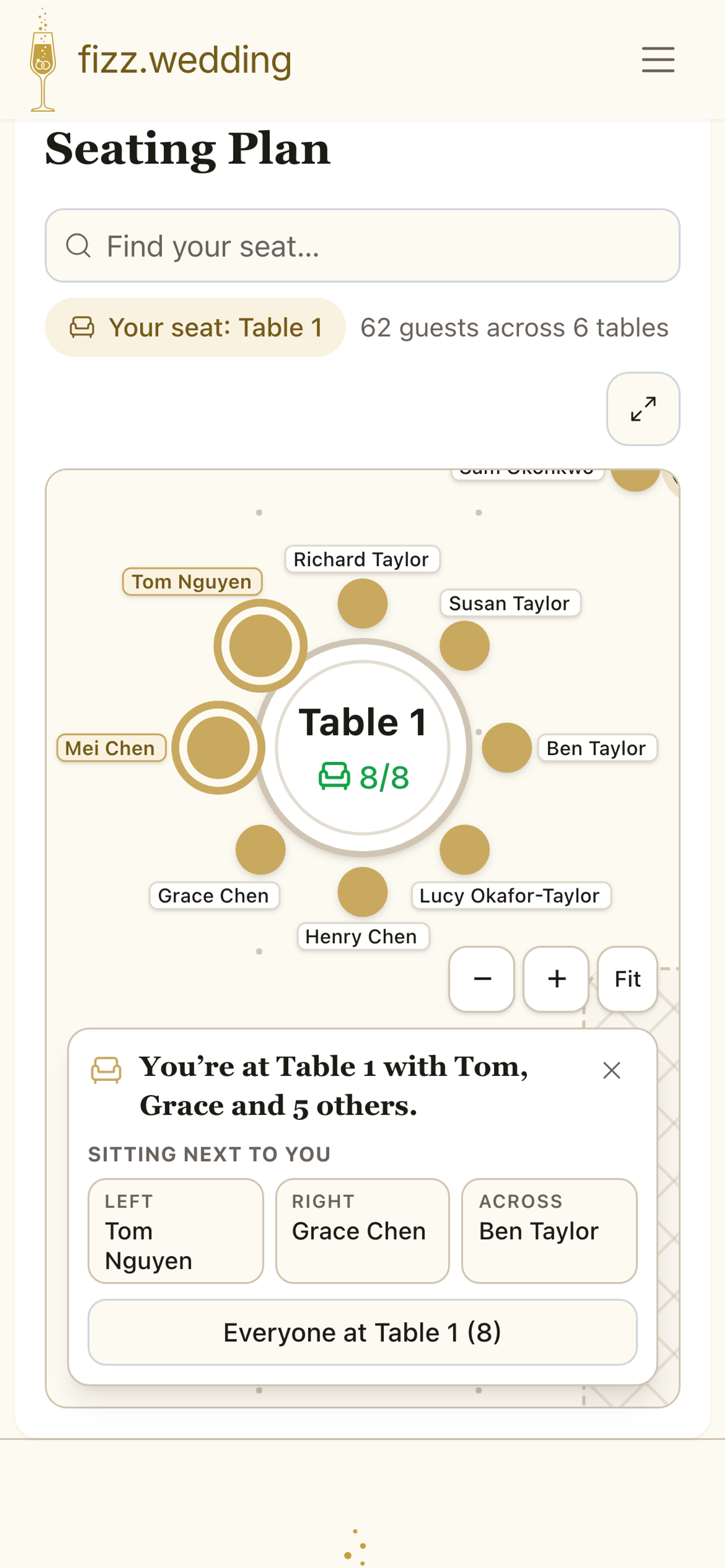
When the plan is ready, one toggle publishes it to your wedding website. Guests type their name, jump straight to their table, and see who they’re sitting with, on exactly the chairs you arranged, because the guest view and your editor are the same plan. They only ever see names; meal choices and dietary needs stay private to you and your caterer. Once the Fizz companion app launches, guests will find their seat there too, on a Your Seat screen that shows their table and everyone sitting with them.
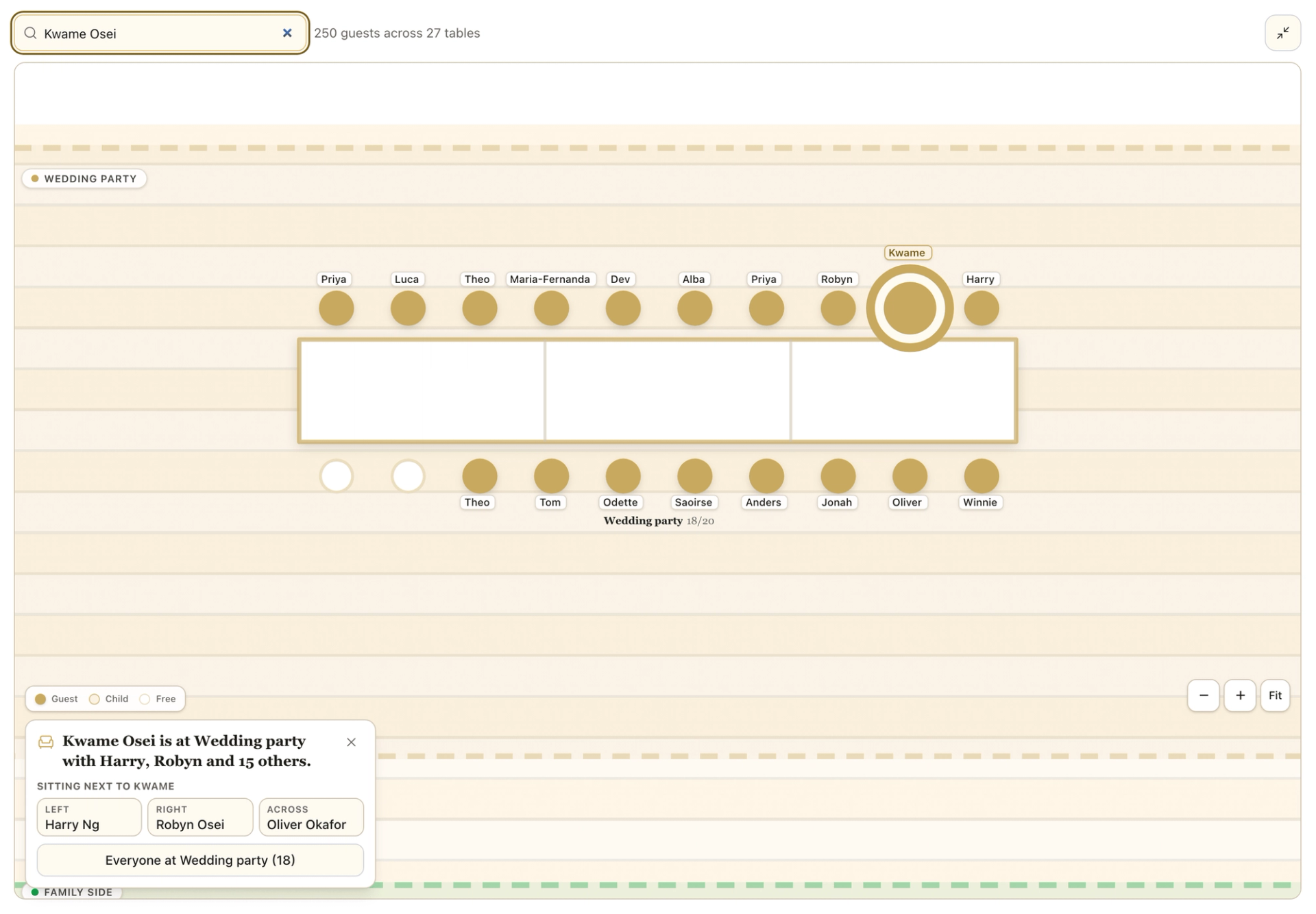
The published plan is made for a small screen. Guests search their name, the plan jumps to their table and marks their own seat, and a tap on any table shows who is sitting there. They can pan and zoom to explore the room. There is nothing to download: it works in any phone browser, and the Fizz companion app is coming soon.
On the Champagne plan, each table shows its own caterer view: meal counts (or a headcount for a buffet), the allergens in the dishes guests chose, and every dietary note they wrote. When the venue asks for final numbers, export the per-table CSV, print the table list, and print the floor plan on A3 or A4 for the venue.

Every Fizz plan. Tables, the floor plan, auto-arrange, the guest-facing seating plan, and the CSV, Print and Floor plan exports are all included. Meal choices and guests’ dietary notes, and so the caterer view, come with the Champagne plan. The AI seating assistant is part of the Celebrate and Champagne plans.
Yes. The guest list in the planner is your live RSVP list. Confirmed guests appear ready to seat with their meal choices and dietary needs attached, everyone from one invitation is grouped as a party, and declined guests never clutter the room.
Yes, down to the chair. Drag a guest around their table to reorder it, drop them on an empty chair at another table to move them, or drop them on another guest to swap the pair. The plan your guests see uses exactly the chairs you arranged. A planner you invite as a collaborator can arrange the room for you in exactly the same way.
It is a transparent set of rules, not a black box: couples and plus-ones always stay together, your "sits with" and "apart from" pins are honoured, tables never go over capacity, and anything it cannot fit is listed honestly. It only seats people who do not have a seat yet, so it never undoes your handiwork, and one tap undoes the whole arrangement.
When you are ready, one toggle publishes a read-only plan to your wedding website. Guests search their name, jump straight to their table, and see who they are sitting with. They only ever see names; meal choices, dietary notes and allergens stay private to you. When the Fizz companion app launches, guests will also be able to check their seat in the app.
Yes. The published plan comes in three styles: the Classic planner canvas, a Stationery seating chart with every name radiating around its table, and a Blueprint floor plan of the room. Pick whichever suits your wedding and change it whenever you like.
Give the people on your guest list a wedding party role, then tap Arrange for me. Party members sit at the top table in rank order: honour roles first, then best people, then bridesmaids, groomsmen and attendants. Two seats are kept for you and your partner (none with a sweetheart table). A household goes whole or not at all, only unseated people are placed, and anyone who did not fit is named. Ushers, children and Other roles do not sit at the top table.
Yes. Choose a banquet row, comb, horseshoe (a U), serpentine or large ring from Add table and it goes on your plan as one table with the right number of chairs. Banquet rows seat up to 56, horseshoes up to 60, rings up to 60 and a comb up to 80. Guests see the same shapes on your published plan, and they work with Arrange for me, the caterer view and your exports.
The seating planner is included with every Fizz plan, alongside RSVPs, menus and your wedding website.
Planning weddings for a living? See how planners run Fizz for their couples.
AI-generated image
Olivia, James and their guests are fictitious, and the people and photos are AI-generated. The guest app shown is coming soon.