
Banquet row
Trestles joined into one long row with a seam every 6 ft, seated on both sides or on one. Made for long family tables and friend groups.
8 to 56 seats with both sides, 4 to 24 on one side
Lay out your room, then drag guests straight from your live RSVP list onto tables, or let Fizz arrange everyone in one tap, guest parties kept together and your rules respected. When it’s ready, one toggle shows every guest exactly where they’re sitting. No spreadsheets, no sticky notes, never out of date.

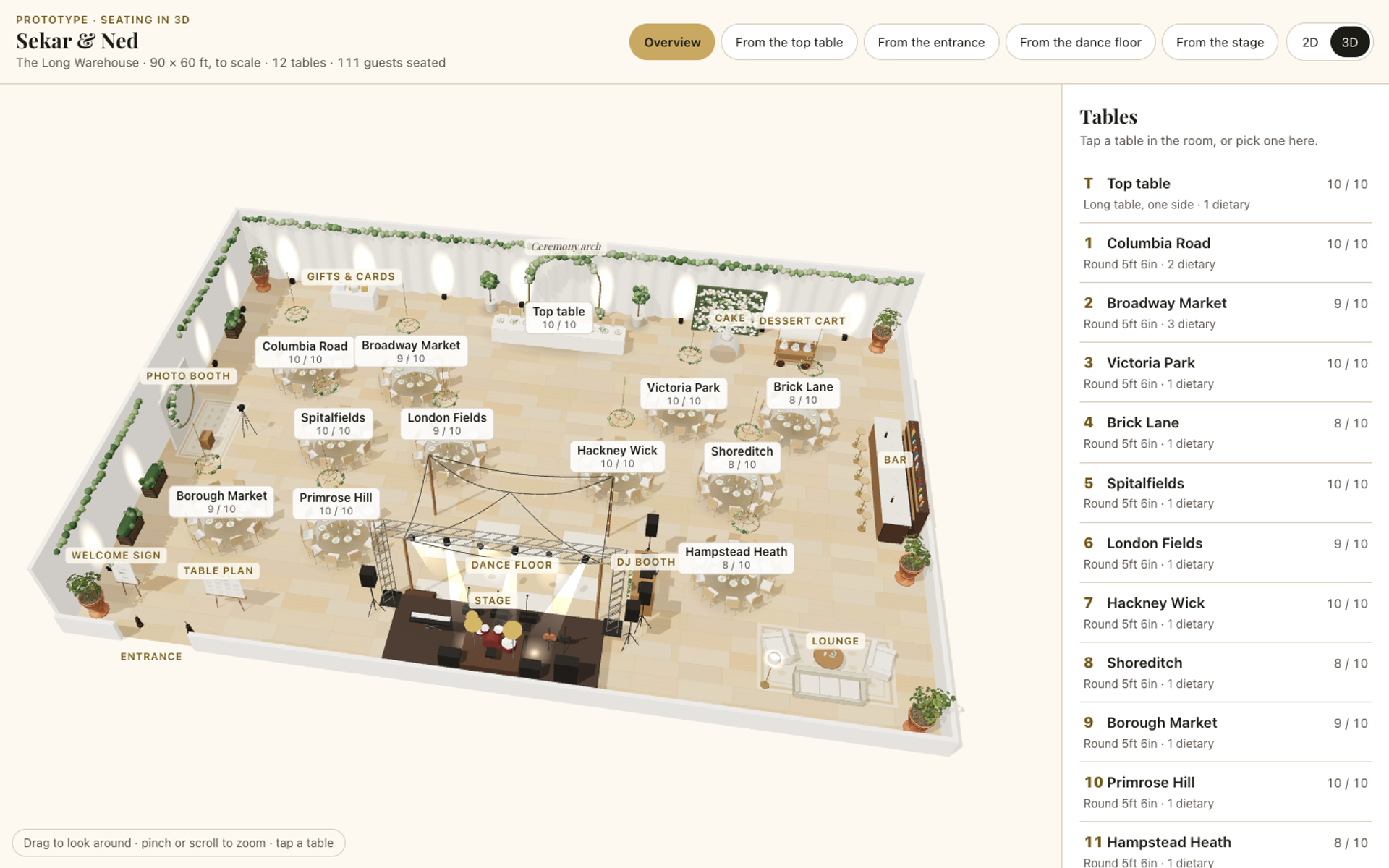
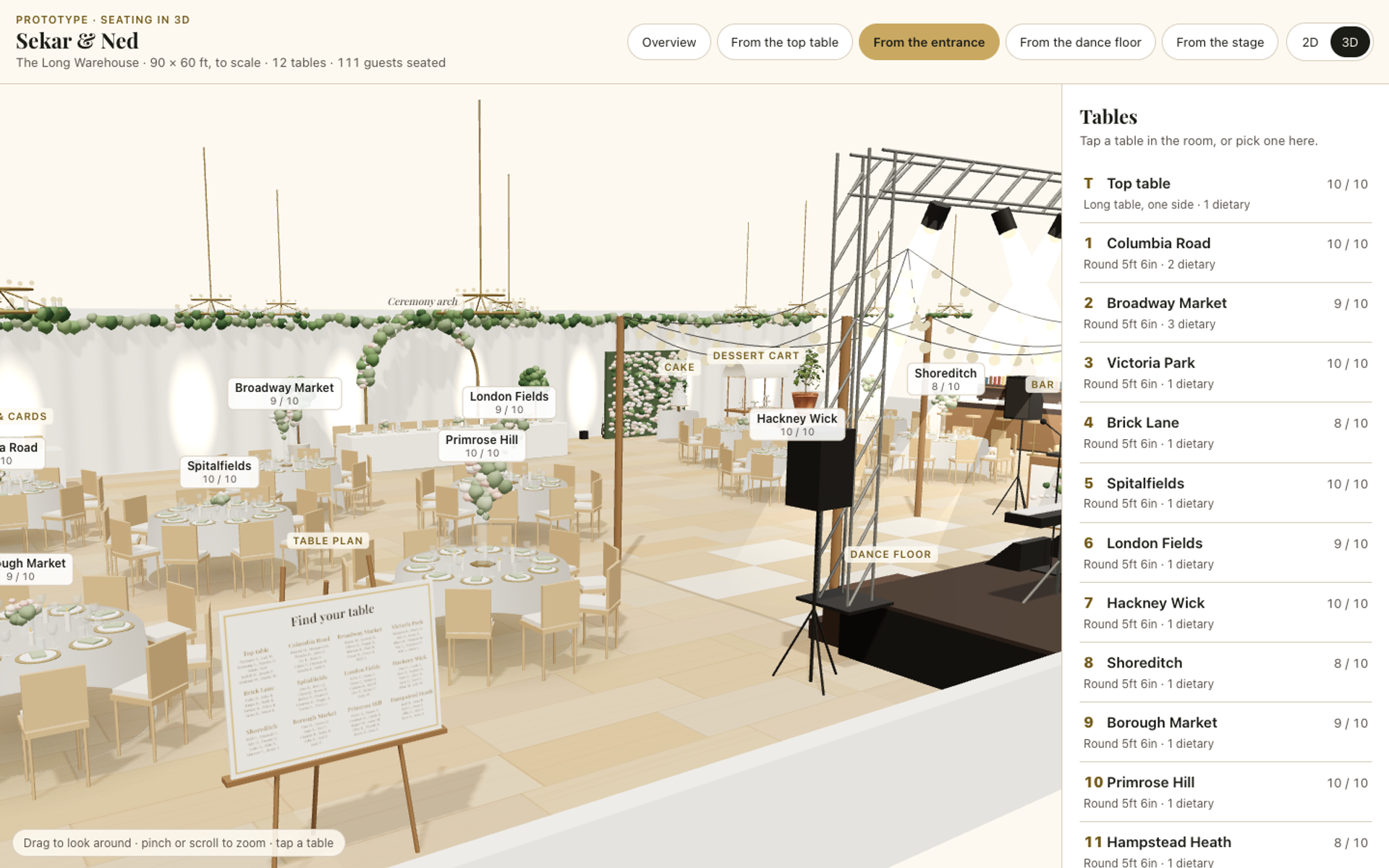
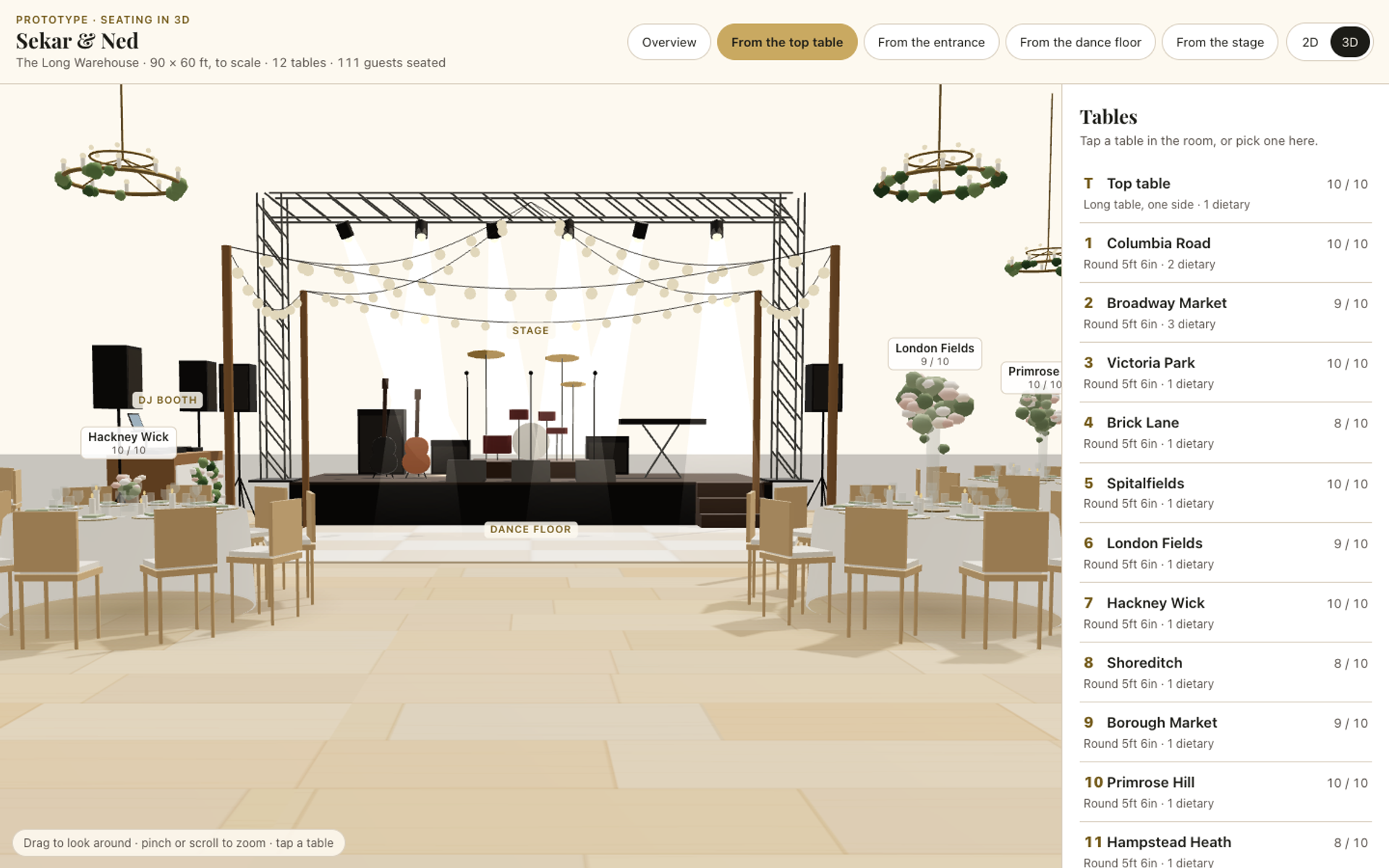
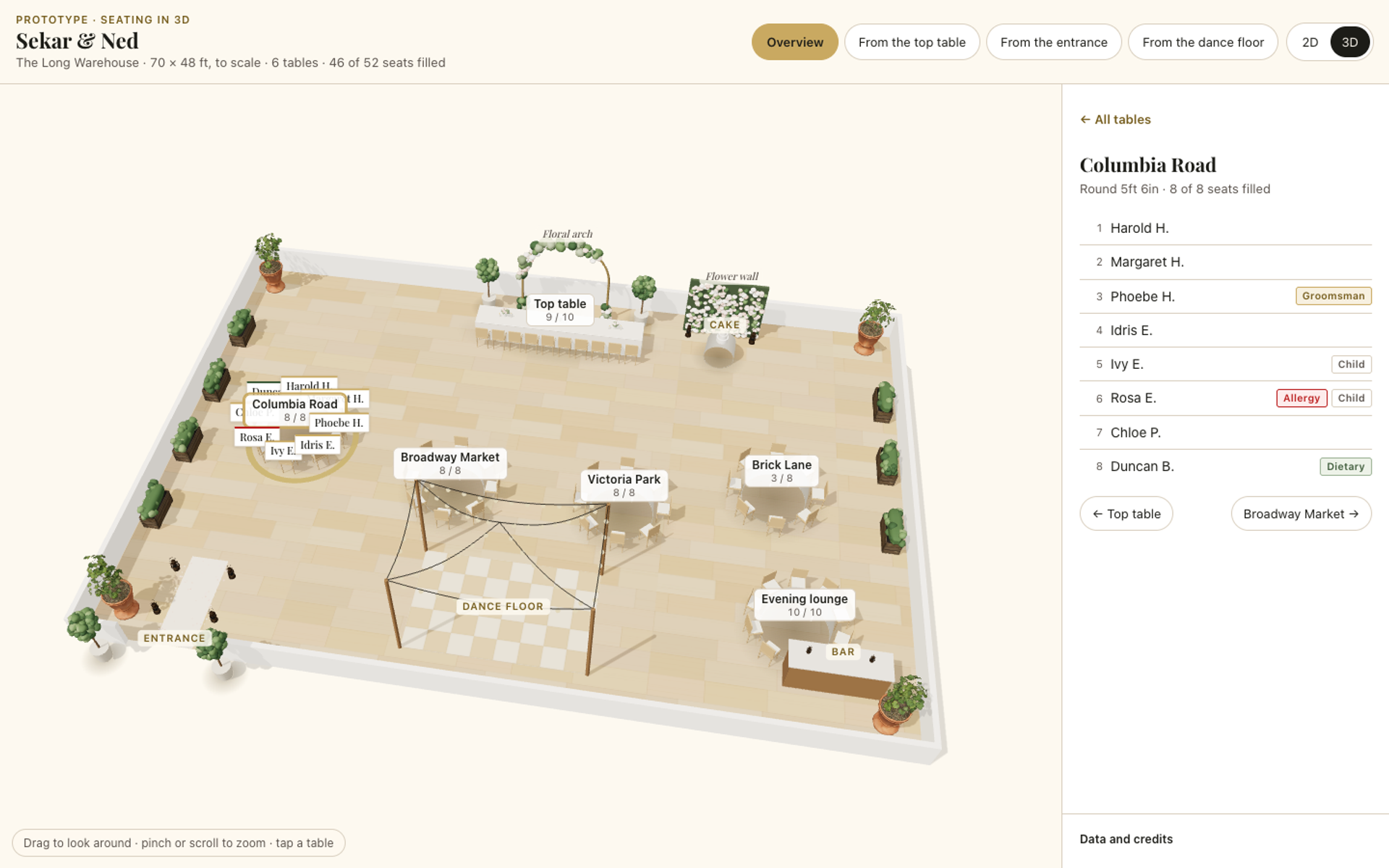
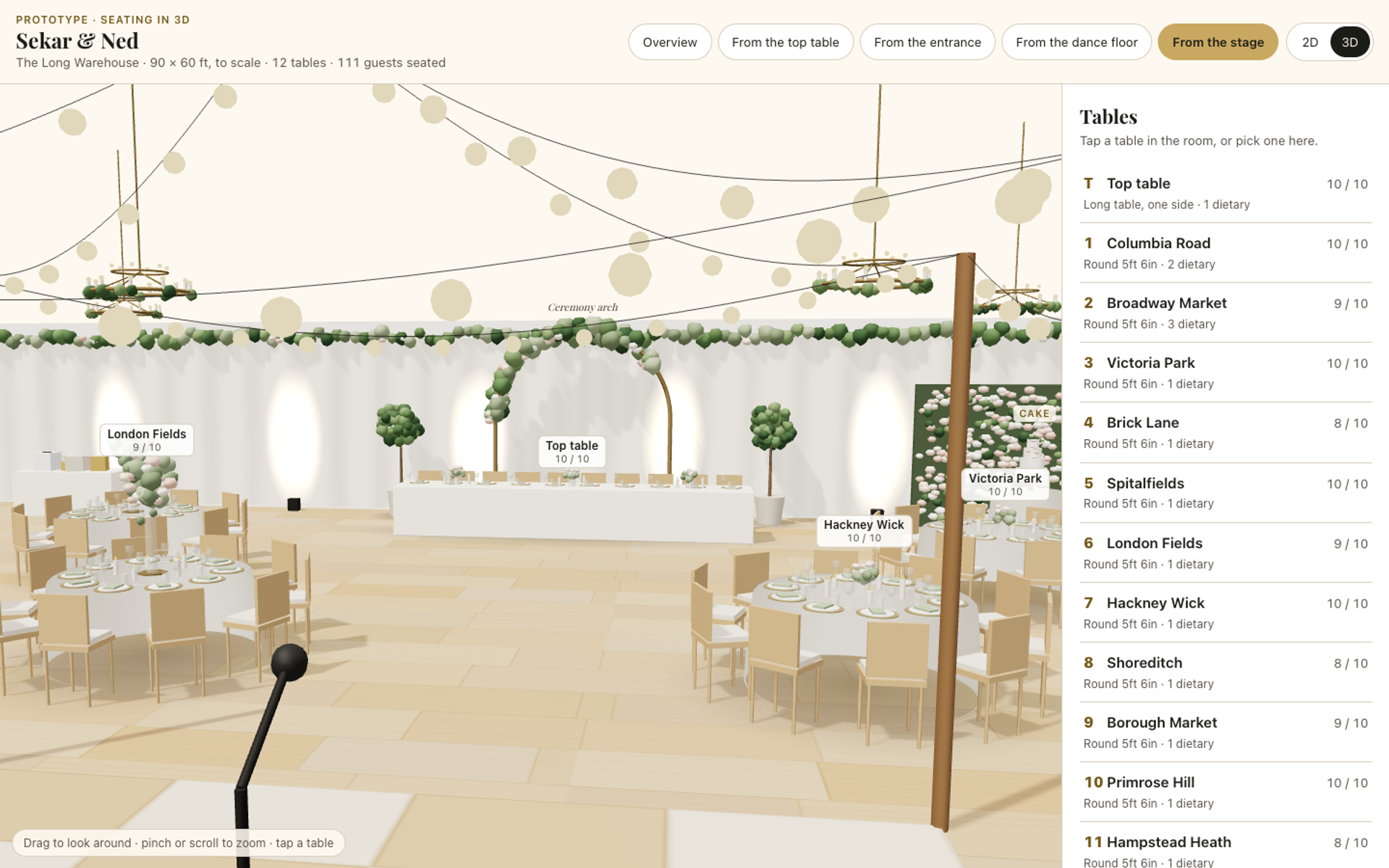
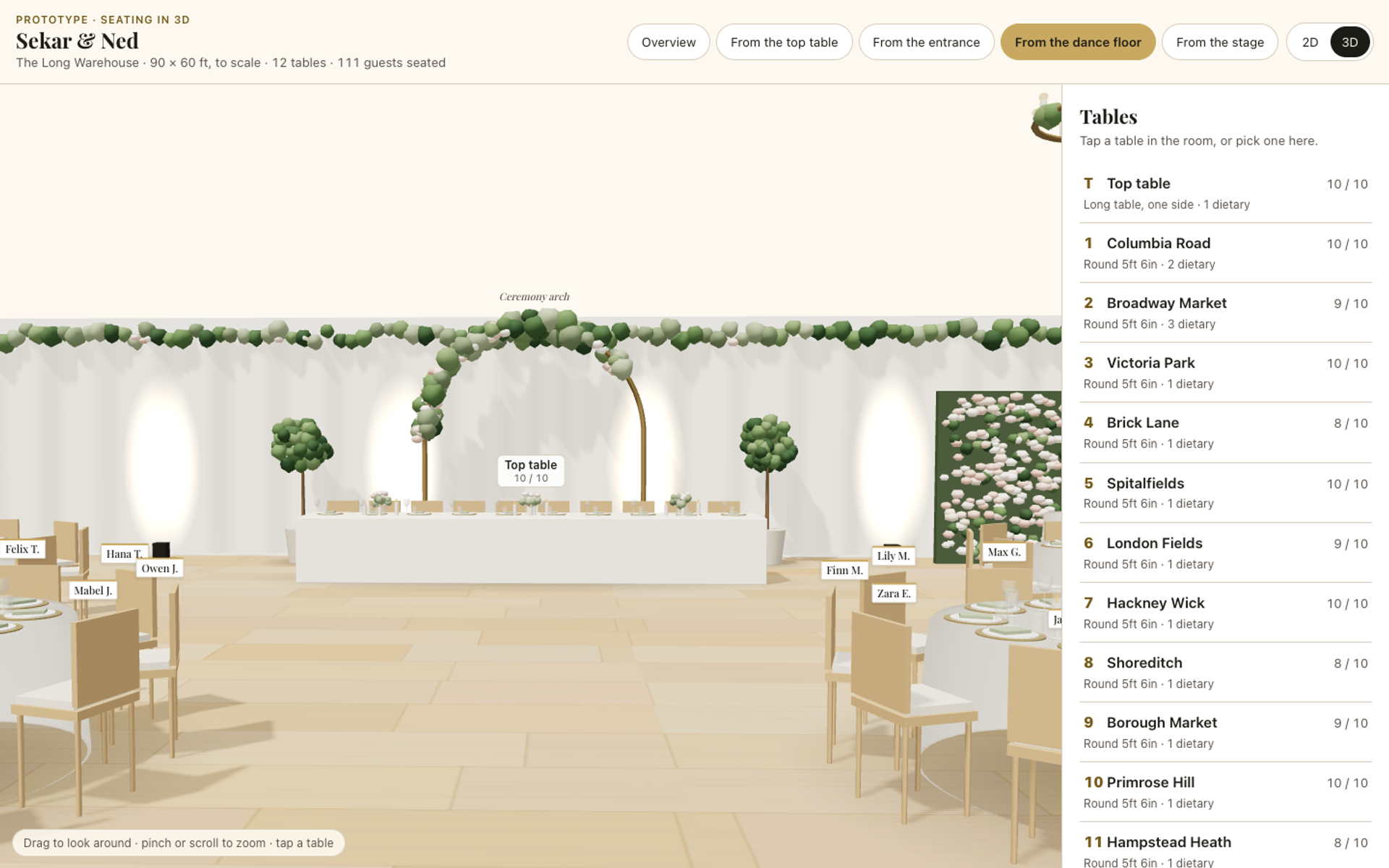
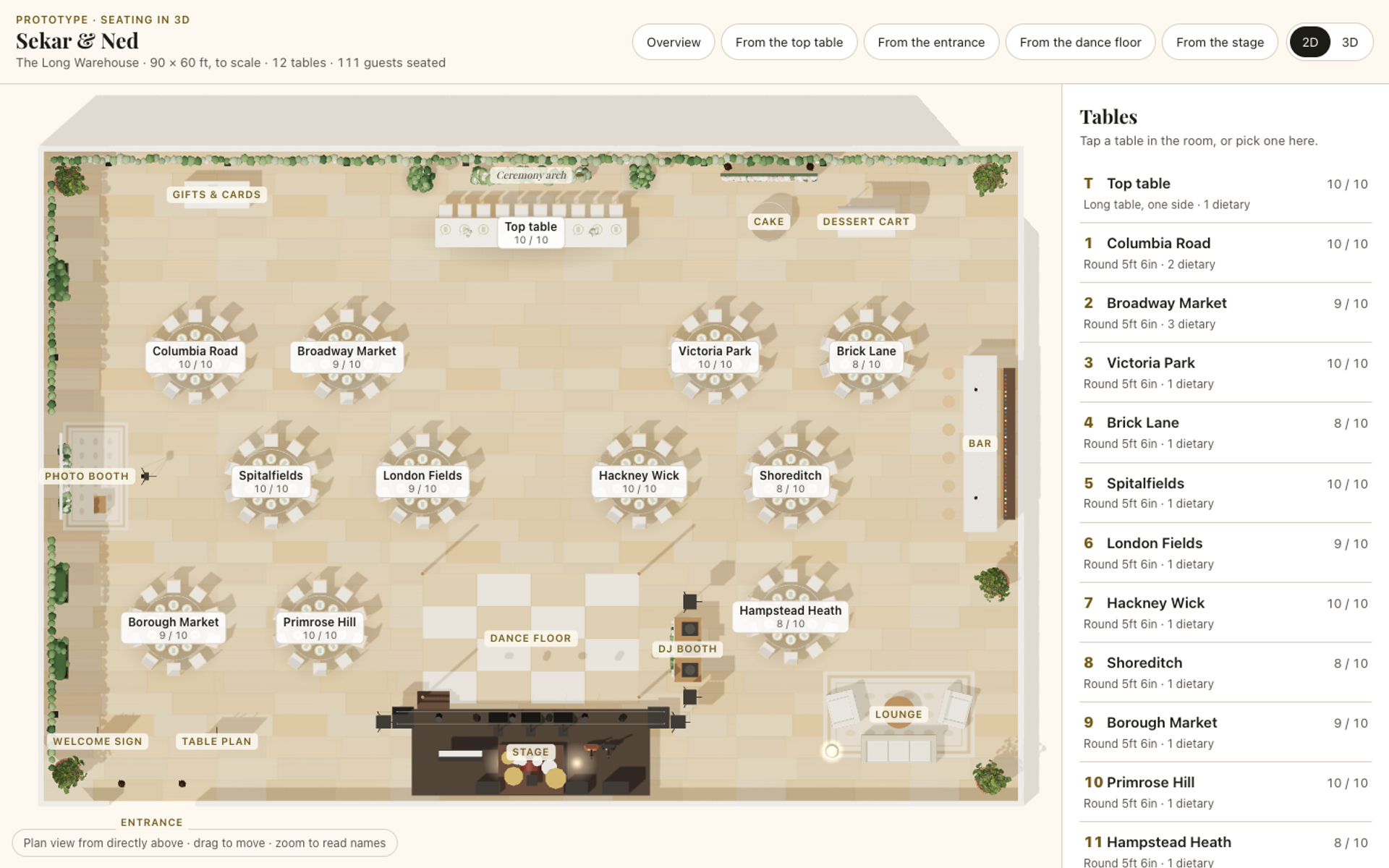
A preview of your plan in 3D. Look around a demo room, turn it, zoom in and tap a table to read who sits there. The guests are fictional. You arrange the seats in the planner, and the 3D room shows you the result.
Picture 1 of 7
Trees, planters and lanterns: Potted Plant 01 by Rico Cilliers, Planter Box 01 by James Ray Cock, Lantern 01 by Rajil Jose Macatangay, from Poly Haven (CC0).
3D drawing by three.js (MIT licence).
The room is drawn in code. No AI-generated images are used.
Pick the look that suits your day and both your planner and your wedding website switch to it. Classic is the clean planner canvas. Place card is a printed seating chart with every name beside its table. Blueprint is an architect’s plan of your room. Venue plan is the plain ink plan you send your venue. This is a live demo with fictional guests, so try all four.
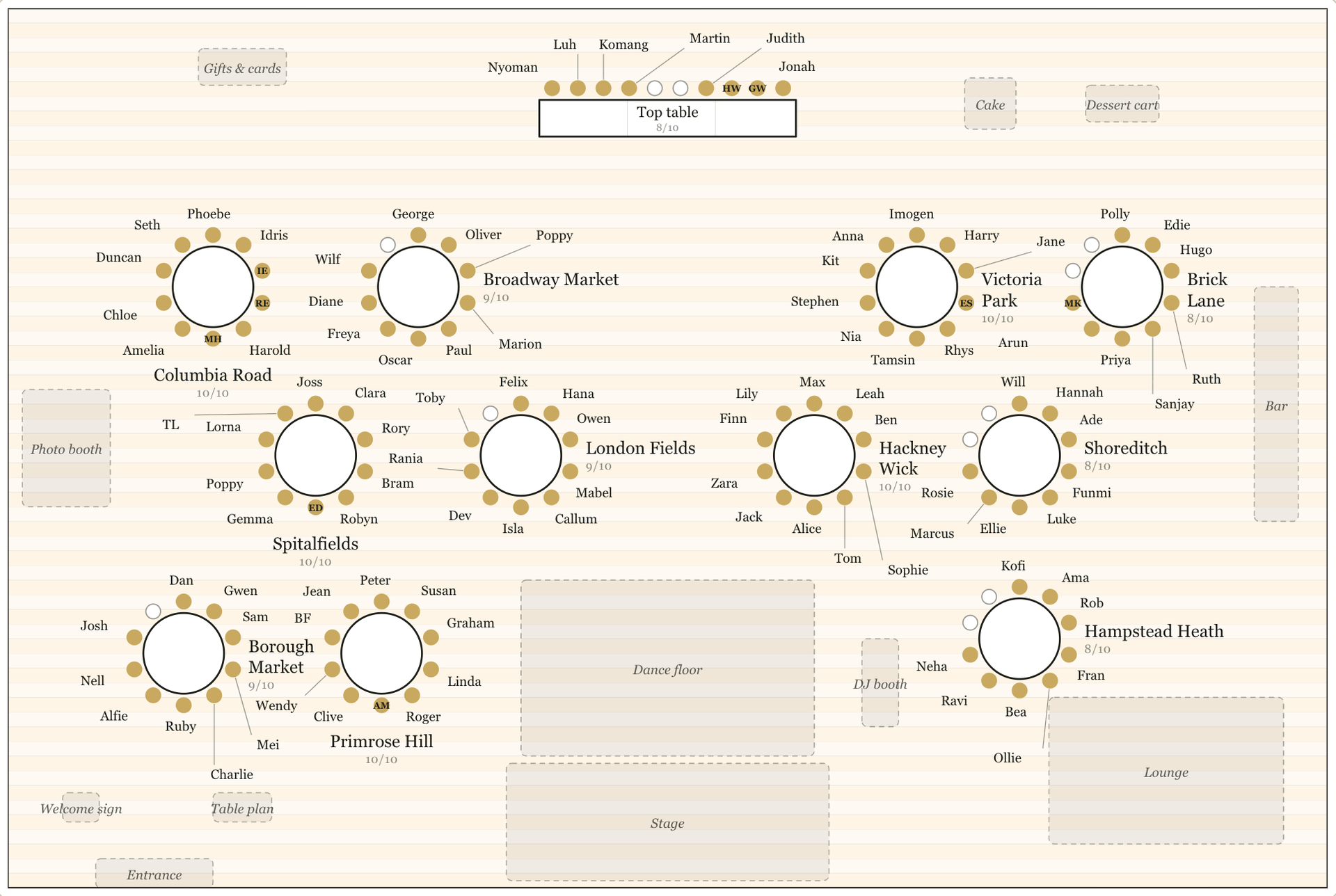
A printed seating chart with names around each table
111 guests across 12 tables
A live demo with fictional guests, exactly as your guests will see it. Tap a table to see who’s seated there, or search a name to find their seat.
Beyond round and rectangular tables, the planner draws five longer layouts. Each is one table on your plan, with chairs that grow with the seat count and seat numbers that run in order round the edge, so a guest party seated in list order sits together.
Trestles joined into one long row with a seam every 6 ft, seated on both sides or on one. Made for long family tables and friend groups.
8 to 56 seats with both sides, 4 to 24 on one side
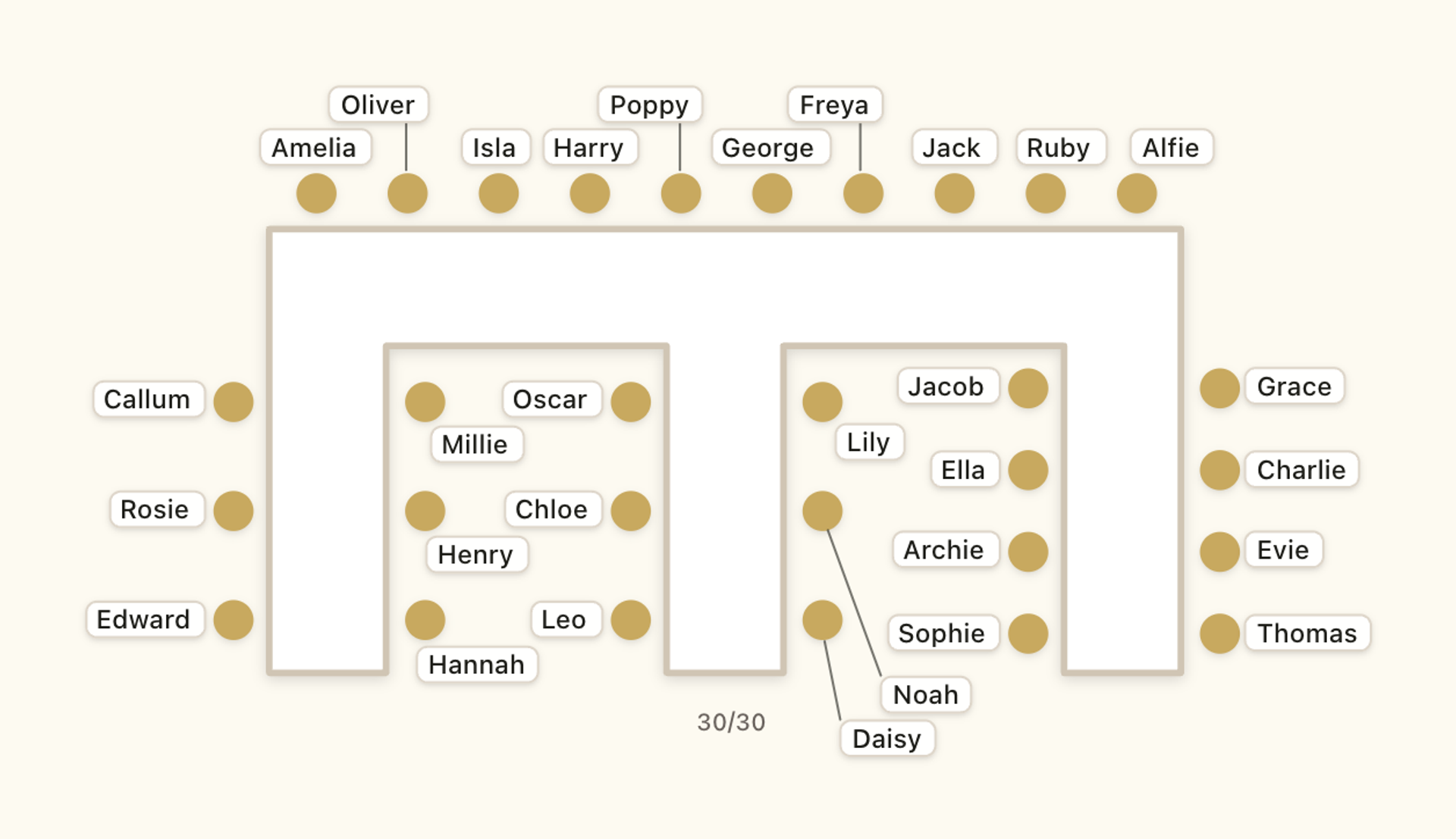
A head table with legs running out from it. Good for one big family, or a whole side of the guest list, at a single table.
4 seats per leg, up to 74 to 80 in all

A U shape with a clear service space inside. A classic for a top table, or for a group that wants to face each other.
12 to 40 seated outside, 20 to 60 on both sides

A wave of curves that snakes through the room, for when you want a flowing table instead of straight lines.
2 to 5 curves, 6 to 50 seats in all
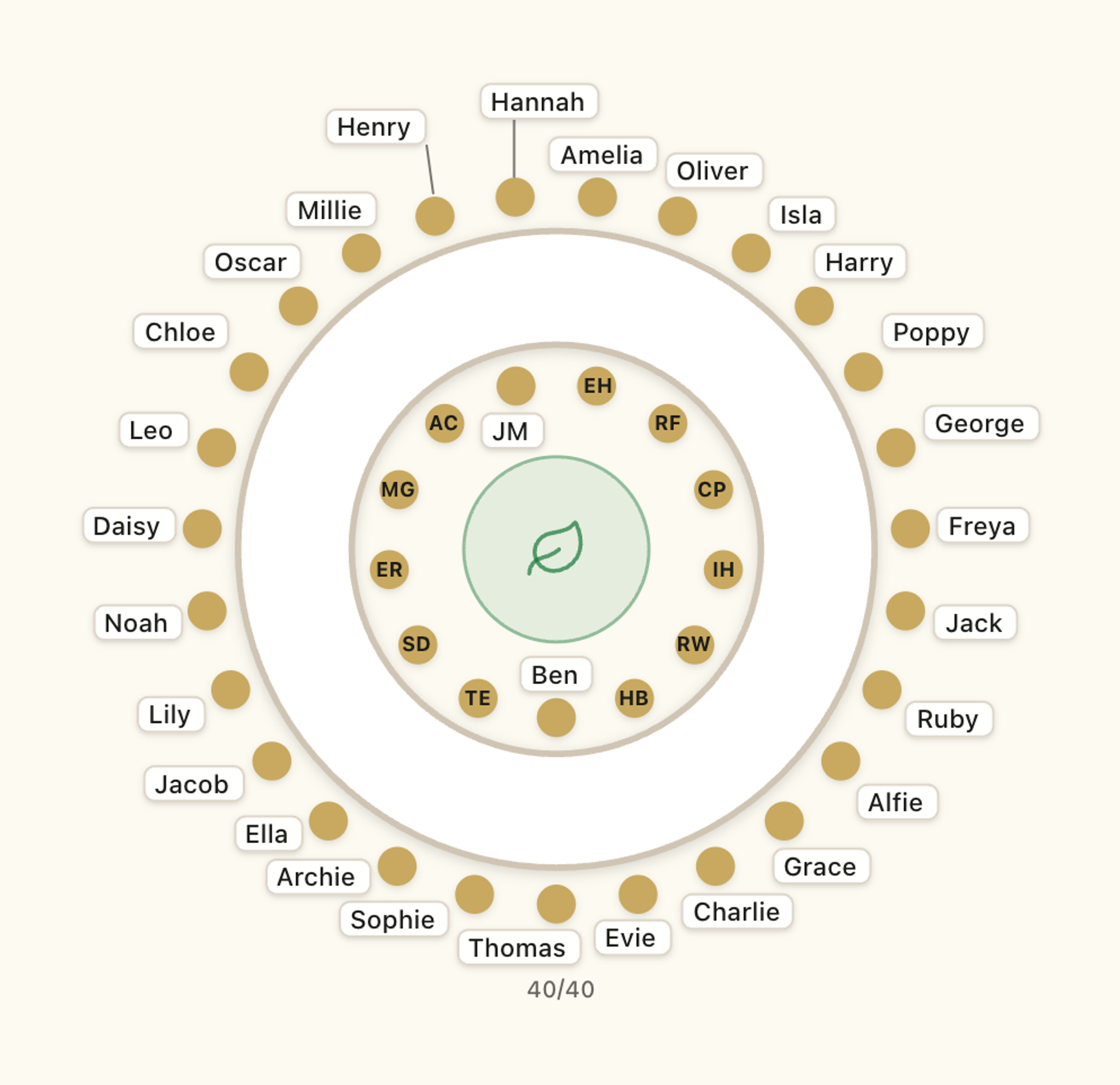
A large ring with flowers in the middle. Seat guests outside, or inside and out, for one big table with a centrepiece.
16 to 40 seated outside, 32 to 60 inside and out
Start from a one-tap layout sized to your confirmed headcount, then make it yours: round and rectangular tables, five longer layouts (banquet rows, combs, horseshoes, serpentines and large rings), a top table or sweetheart table, the dance floor, the band, the bar, even the greenery. Each chair shows the name of the guest sitting in it, so you can read the whole room at a glance.
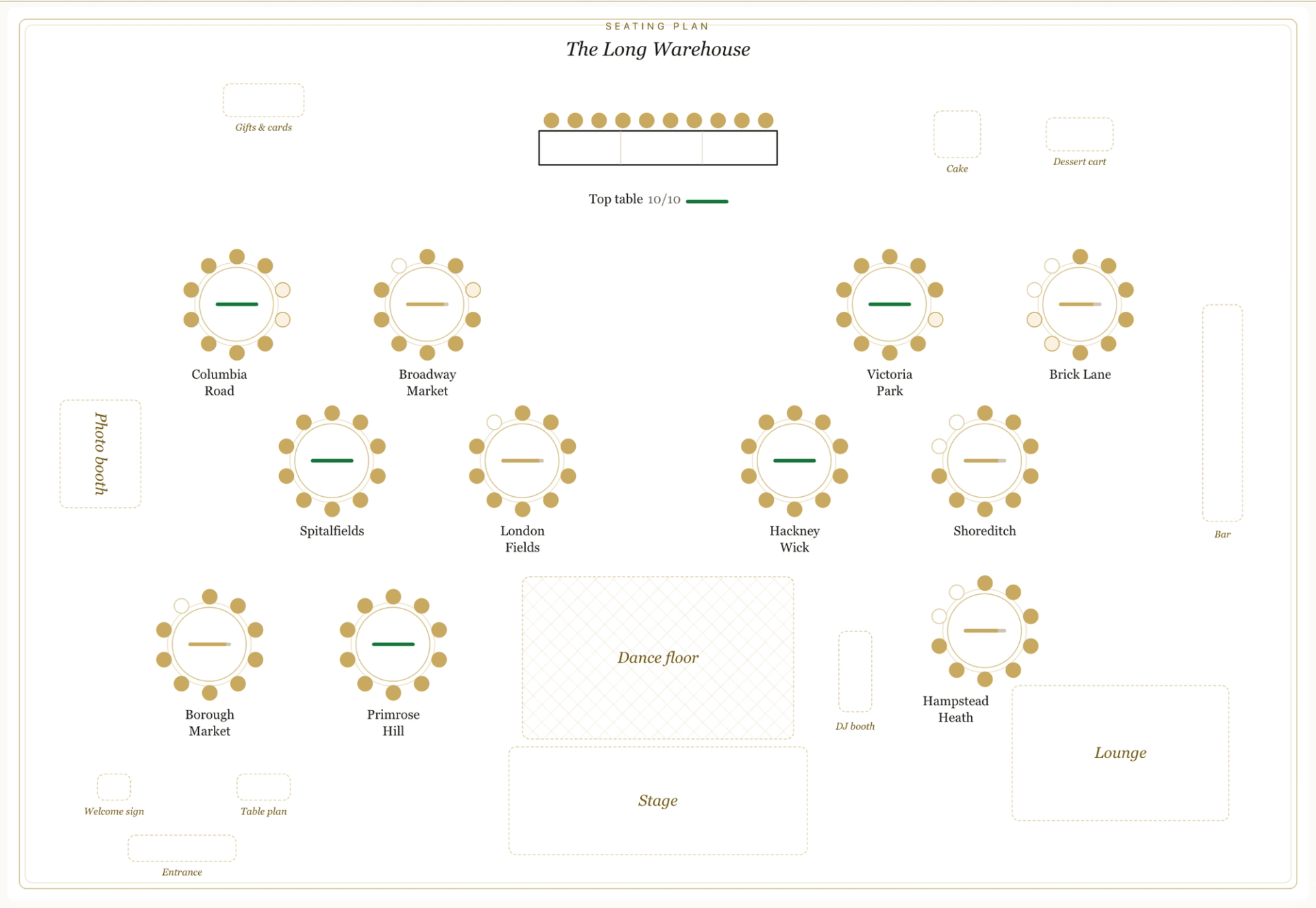
Give anyone on your guest list a wedding party role, from maid of honour to best man, and their chair on the plan gets a gold rim, with Wedding party in the legend. Tap Seat everyone for me and you two are seated first, at the sweetheart table or the top table, then the top table fills in rank order. It only places people who are not seated yet, and anyone who did not fit is named. Guests never see roles on the plan.
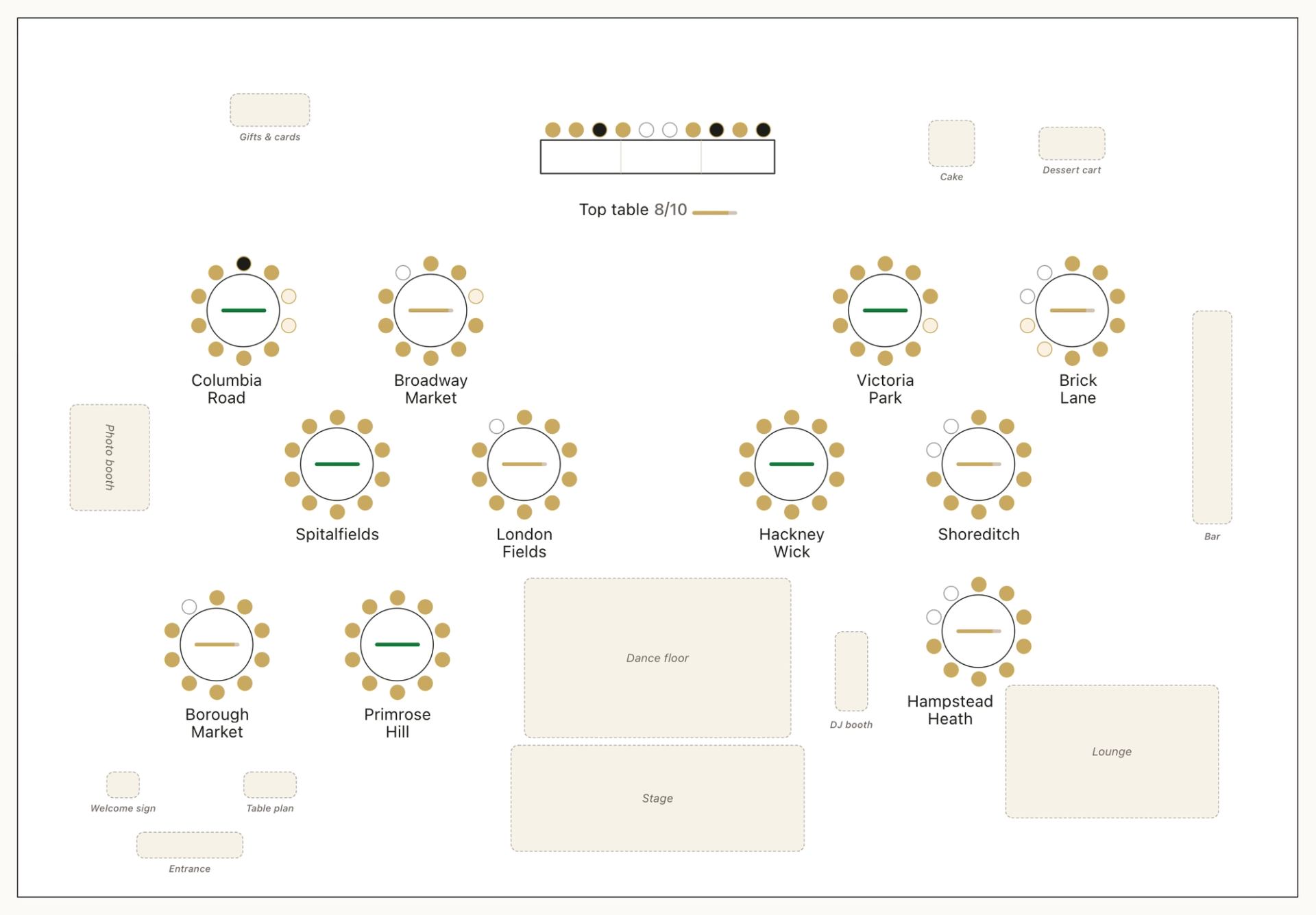
Two meals, two plans. Choose the meal under Seating for, and arrange that meal on its own. Only people coming to a meal can sit in it. Seating rules can be copied from one meal to another.
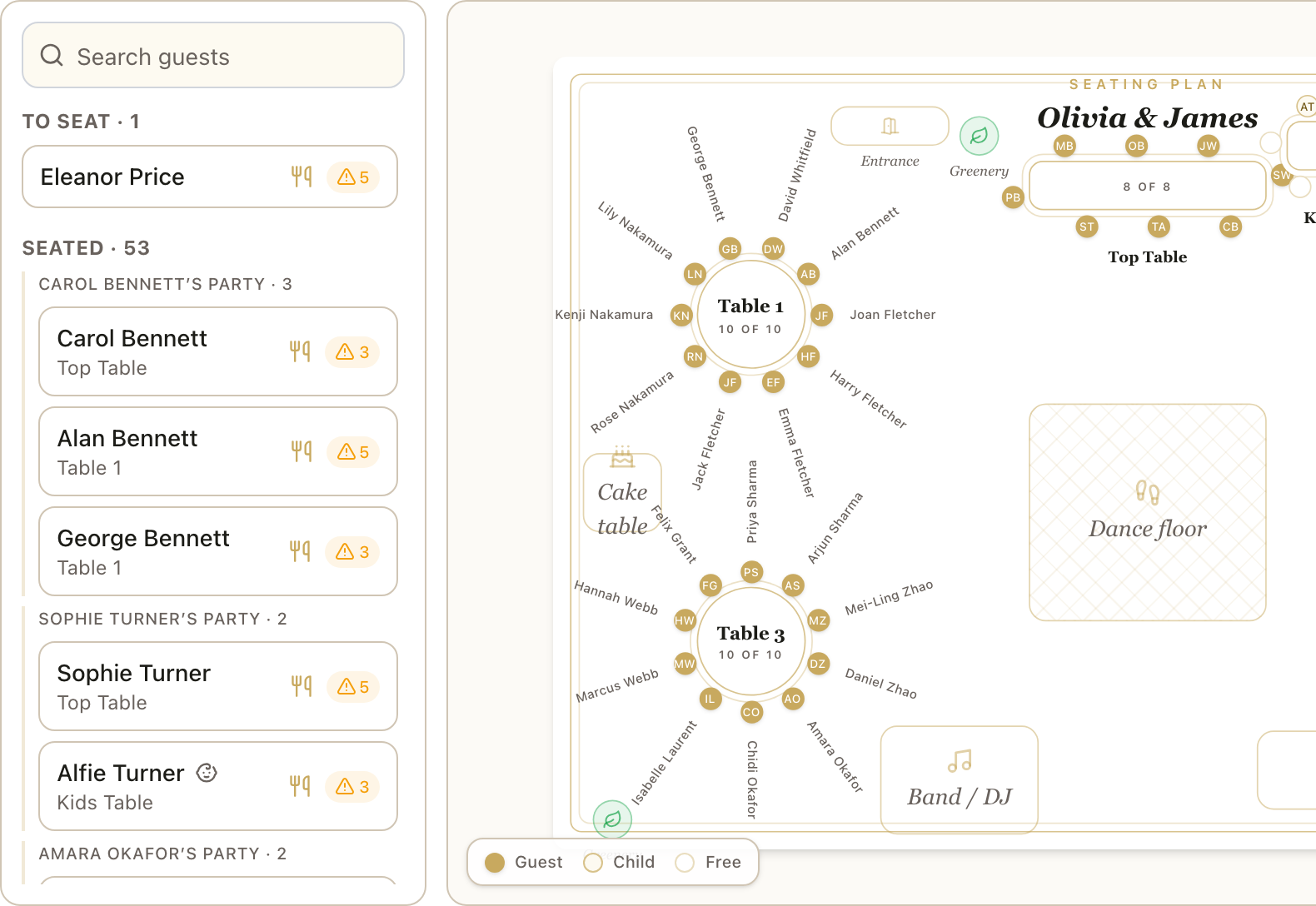
Your guest list lives beside the plan, fed by live RSVPs and grouped by invitation, so you always know who came with whom. Children are flagged, and every name carries the guest’s meal choice and any dietary note they wrote. Drag anyone onto a table, or tap Seat everyone for me: couples and plus-ones stay together, your “sits with” and “apart from” rules are honoured, and nothing is ever hidden, anyone who could not be seated is listed, and one tap undoes it all.
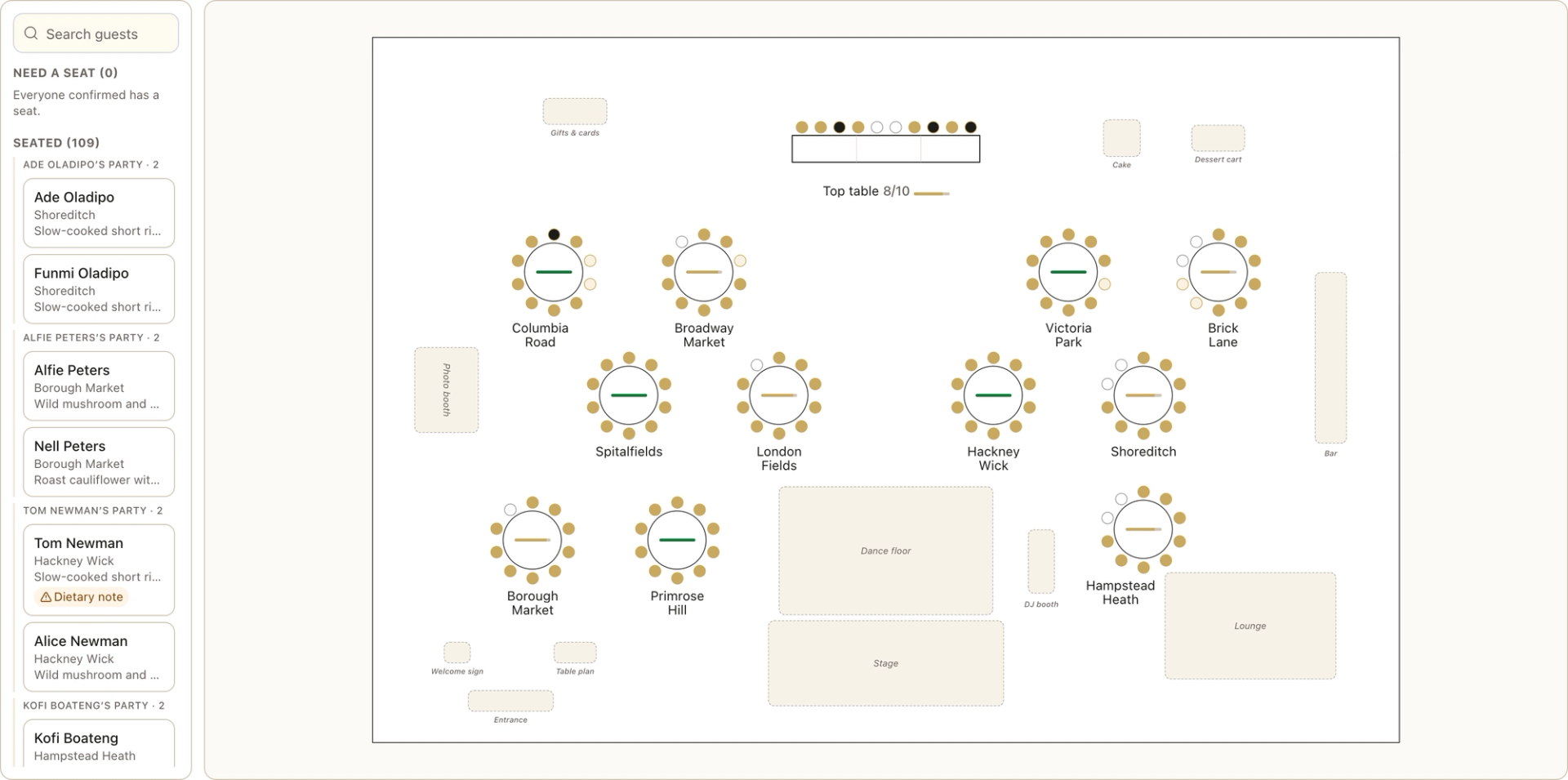
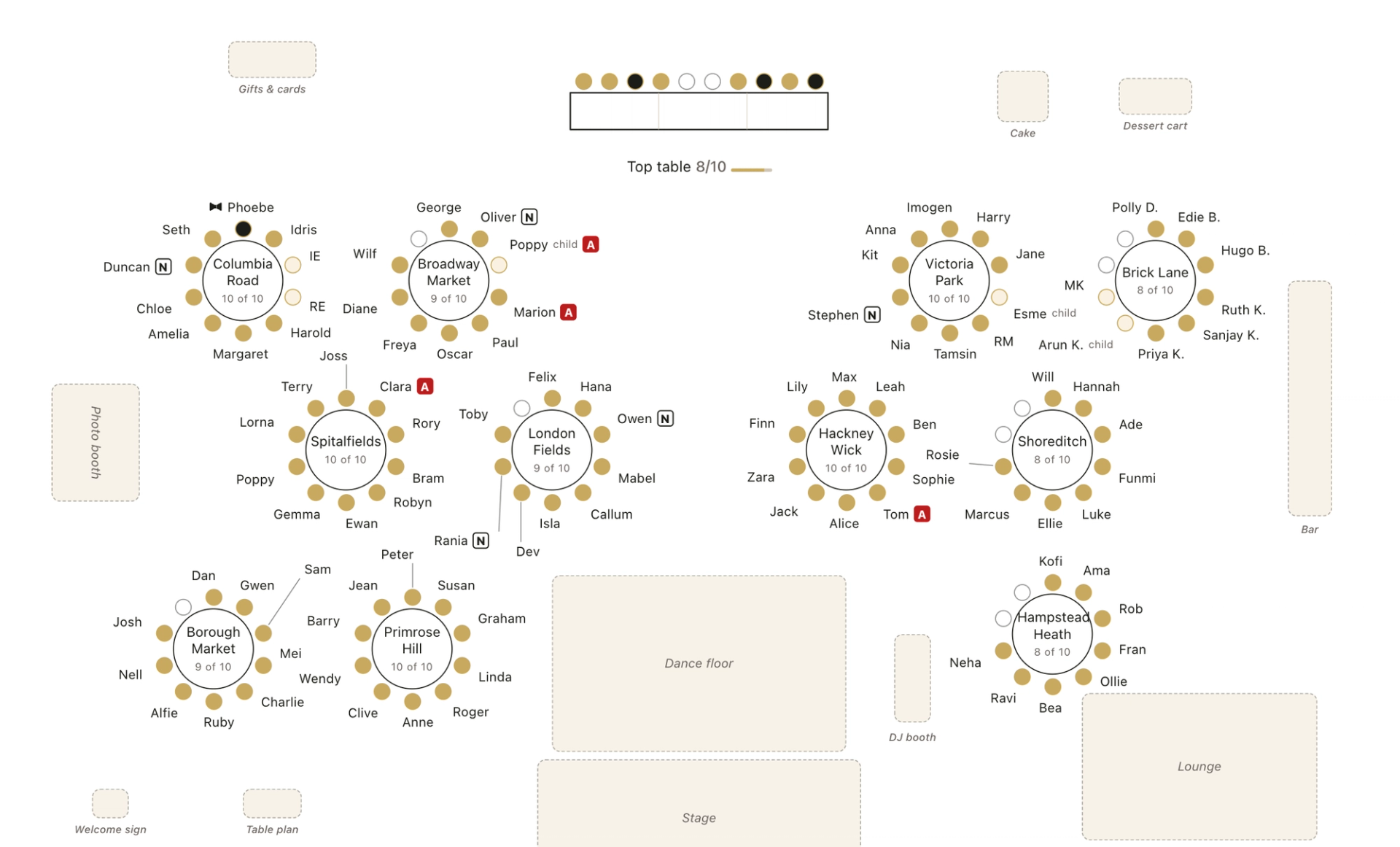
A table plan is really a conversation plan. Drag any guest around their table until the neighbours are right, drop them on an empty chair across the room to move them, or drop them on another guest to swap the pair. Every chair is a real position, not just a headcount, so granny is next to the right cousin, and the two friends who have never met but absolutely should are side by side.
Stuck on the awkward table? Ask in plain language: who still needs a seat, where the Reillys should go, how to keep two particular guests apart without it showing. The assistant knows your plan and your RSVPs, explains its thinking, and proposes changes you apply with one tap, nothing moves until you say so, and applied seating comes with an Undo. Every plan includes it, with an allowance per wedding that grows with the plan. The pricing page has the numbers.

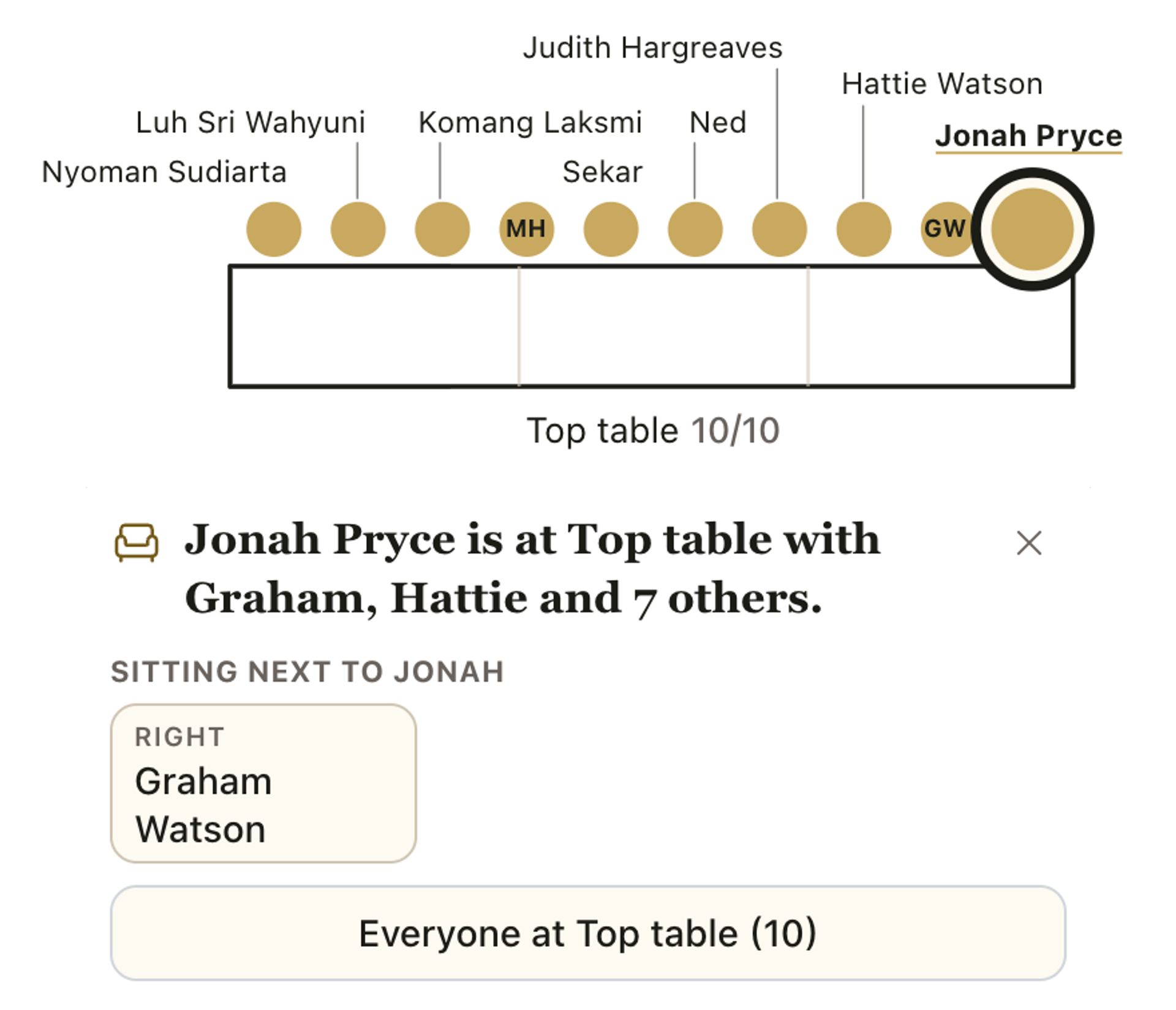
The published plan is made for a small screen. Guests search their name, the plan jumps to their table and marks their own seat, and a tap on any table shows who is sitting there. They can pan and zoom to explore the room. Guests use any phone browser, and the Fizz app when it arrives.
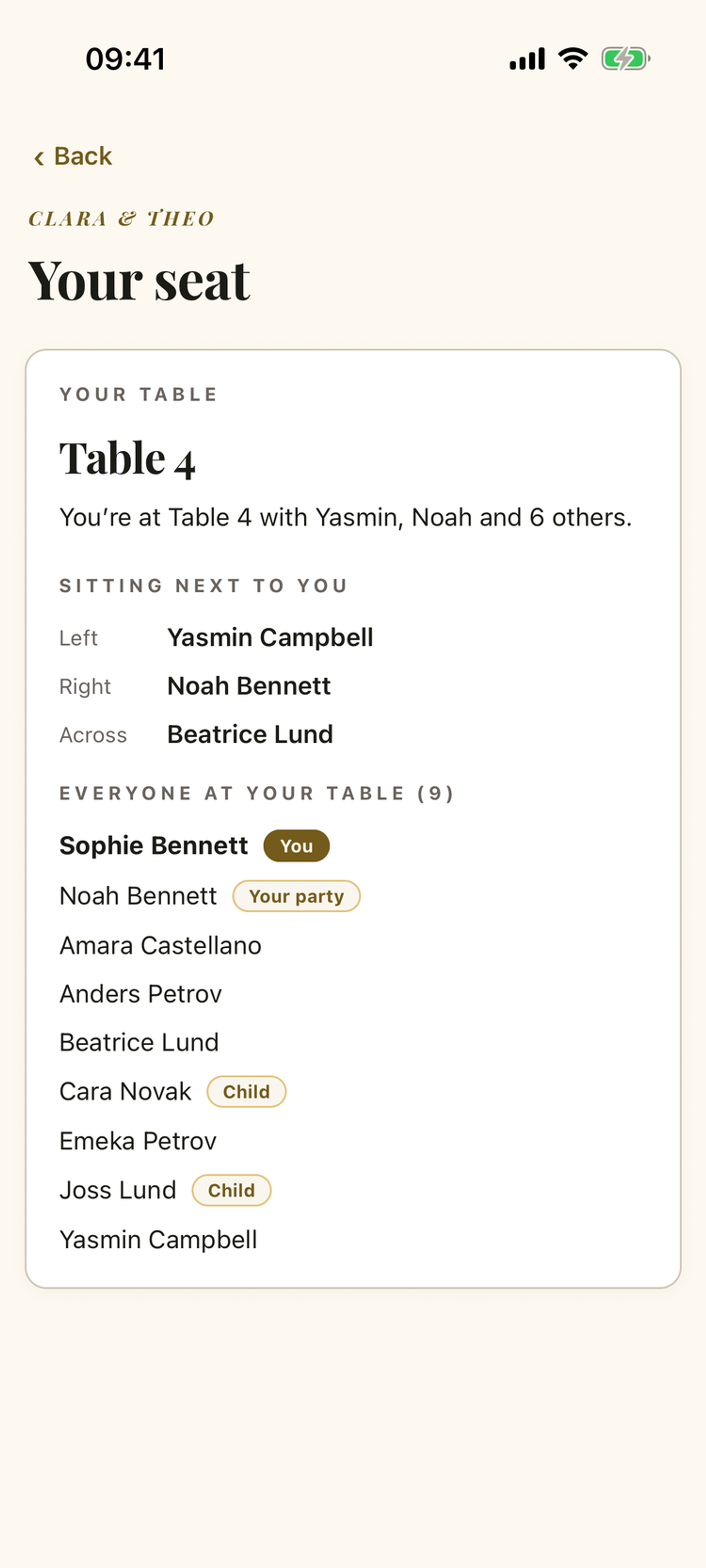
When the plan is ready, one toggle publishes it to your wedding website. Guests type their name, jump straight to their table, and see who they’re sitting with, on exactly the chairs you arranged, because the guest view and your editor are the same plan. They only ever see names; meal choices and dietary needs stay private to you and your caterer. When the Fizz app arrives, guests will find their seat there too, on a Your Seat screen that shows their table and everyone sitting with them.
Send your venue and caterer one link and a six-digit PIN. They see the room drawn to scale, every guest by table, and each meal choice and dietary note, with nothing for them to sign up for. Email addresses and phone numbers are never shown. The link always shows your latest plan, and it lists what has changed since the last version, including new or changed allergies. Look at the preview first, add a note for the venue if you like, and choose the day the link closes, up to 14 days after your wedding. Switch it off whenever you want. Prefer paper? Download the same pack as a PDF. On Celebrate and Champagne.
Every Fizz plan. Tables, the floor plan, auto-arrange, the guest-facing seating plan, and the CSV, Print and Floor plan exports are all included. Meal choices, guests’ dietary notes and the caterer view are included too. The AI seating assistant is on every plan, with an allowance per wedding that grows with the plan; the pricing page has the numbers. The venue pack and venue link are on Celebrate and Champagne.
Yes. The guest list in the planner is your live RSVP list. Confirmed guests appear ready to seat with their meal choices and dietary needs attached, everyone from one invitation is grouped as a party, and declined guests never clutter the room.
Yes, down to the chair. Drag a guest around their table to reorder it, drop them on an empty chair at another table to move them, or drop them on another guest to swap the pair. The plan your guests see uses exactly the chairs you arranged. A planner you invite as a collaborator can arrange the room for you in exactly the same way.
It is a transparent set of rules, not a black box: couples and plus-ones always stay together, your "sits with" and "apart from" pins are honoured, tables never go over capacity, and anything it cannot fit is listed honestly. It only seats people who do not have a seat yet, so it never undoes your handiwork, and one tap undoes the whole arrangement.
When you are ready, one toggle publishes a read-only plan to your wedding website. Guests search their name, jump straight to their table, and see who they are sitting with. They only ever see names; meal choices, dietary notes and allergens stay private to you. Guests will also be able to check their seat in the Fizz app, which is coming soon.
Yes. The published plan comes in three styles: the Classic planner canvas, a Stationery seating chart with every name radiating around its table, and a Blueprint floor plan of the room. Pick whichever suits your wedding and change it whenever you like.
Give the people on your guest list a wedding party role, then tap Seat everyone for me. Party members sit at the top table in rank order: honour roles first, then best people, then bridesmaids, groomsmen and attendants. You two are seated first, at the sweetheart table or the top table, and no seats are held back. A guest party goes whole or not at all, only unseated people are placed, and anyone who did not fit is named. Ushers, children and Other roles do not sit at the top table.
Yes. Choose a banquet row, comb, horseshoe (a U), serpentine or large ring from Add table and it goes on your plan as one table with the right number of chairs. Banquet rows seat up to 56, horseshoes up to 60, rings up to 60 and a comb up to 80. Guests see the same shapes on your published plan, and they work with Seat everyone for me, the caterer view and your exports.
Yes, on Celebrate and Champagne. Open Venue pack in the seating planner, look at the preview, then make a link. You get a link and a six-digit PIN to send them. They see the room, the guests by table and the dietary needs with nothing for them to sign up for, and you can switch the link off at any time. Every plan can print the floor plan and hand over a per-table CSV.
Yes. Each meal has its own plan. Choose the meal under Seating for. Only people coming to that meal can sit in it.
Try it free first: Wedding Table & Room Calculator and Arrange My Table Plan.
The seating planner is included with every Fizz plan, alongside RSVPs, menus and your wedding website.
Planning weddings for a living? See how planners run Fizz for their couples.
Meals and dietary needs from your digital invitations go straight into the plan. See how wedding invitations work.
AI-generated image
Clara, Theo and their guests are fictitious, and the people and photos are AI-generated. The guest app shown is coming soon.