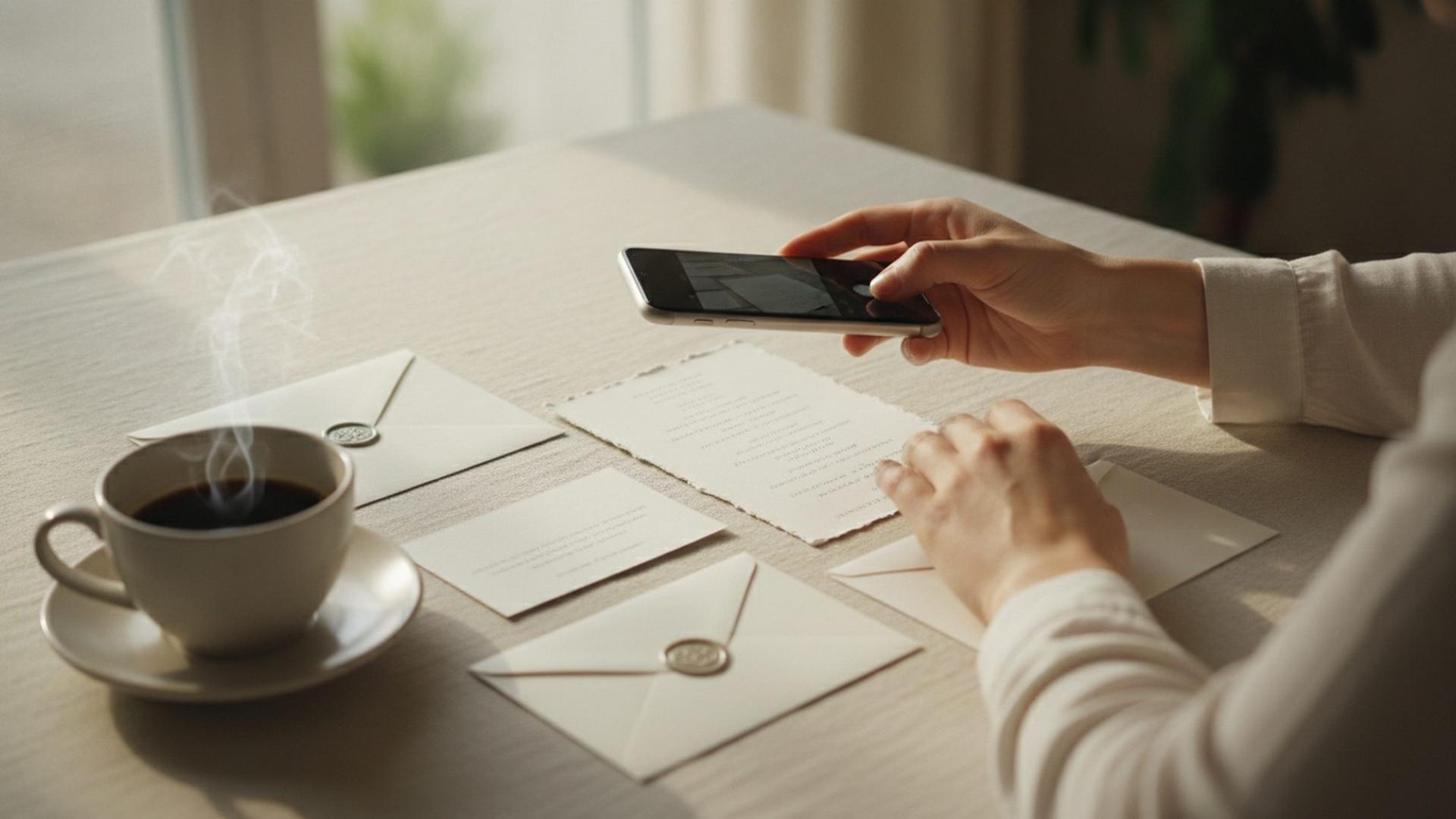
AI-generated image
online rsvp
RSVPs collected for you, not by you.
Guests reply in seconds from any phone. You get live numbers, meal choices, song requests and plus-ones in one place, with no envelopes to open.
first, the message
Tell them the way you tell them everything else.
Your aunt lives on WhatsApp. Your old flatmate hasn’t opened an email since 2019. So send each invitation from your own phone with the words already written, or email the lot in one go. Whatever reaches them.
- Link
 WhatsApp
one tap later
Then the envelope opens.
A short film, a wax seal, your names pressed into the card. The moment a printed invitation gives you, on the phone in their hand. Choose the style that feels most like the two of you.
- Rosé
- Dusk
- Pop-up book
- Gold Rings
- Gilded
Rather keep it simple? Send them straight to your wedding website instead.

then a few cards
Replying takes about as long as reading this.
Everyone in the party answers for themselves, picks their dinner and mentions the nut allergy. Nothing to print, nothing to post back, nobody hunting for a stamp.
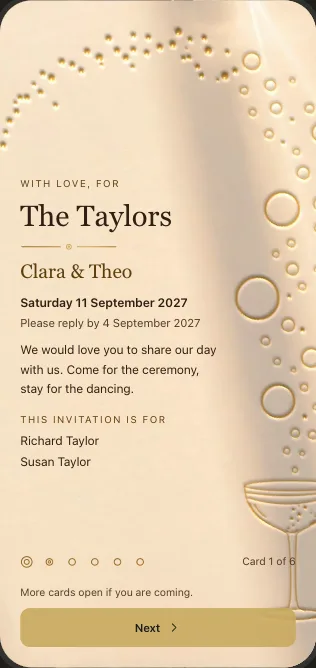
You’re invited
Their names on the card, and a few words from you.
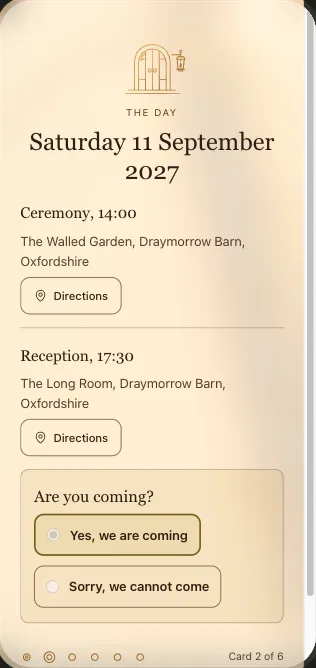
The day
Where, when and how to get there. Then the only question that matters.
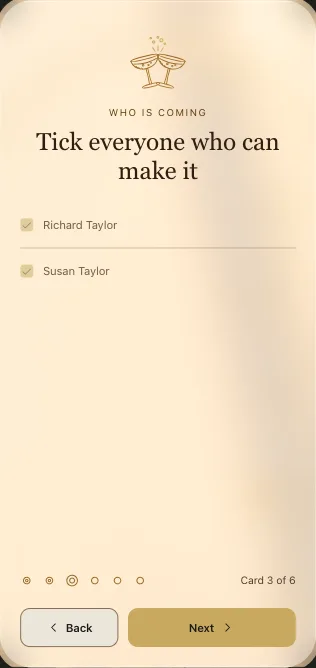
Who’s coming
A tick for everyone who can make it.
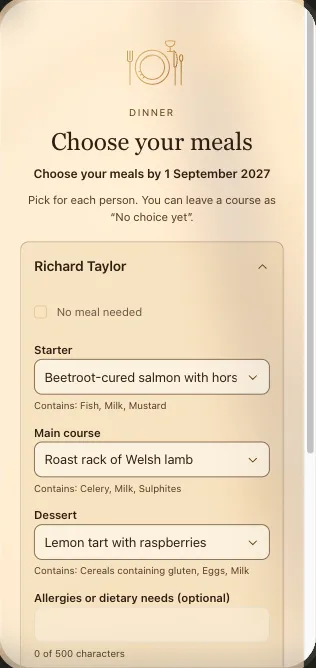
Dinner
Lamb or fish for each of them, with allergens shown.
From our demo invitation. Everyone in it is fictitious.
and on the day
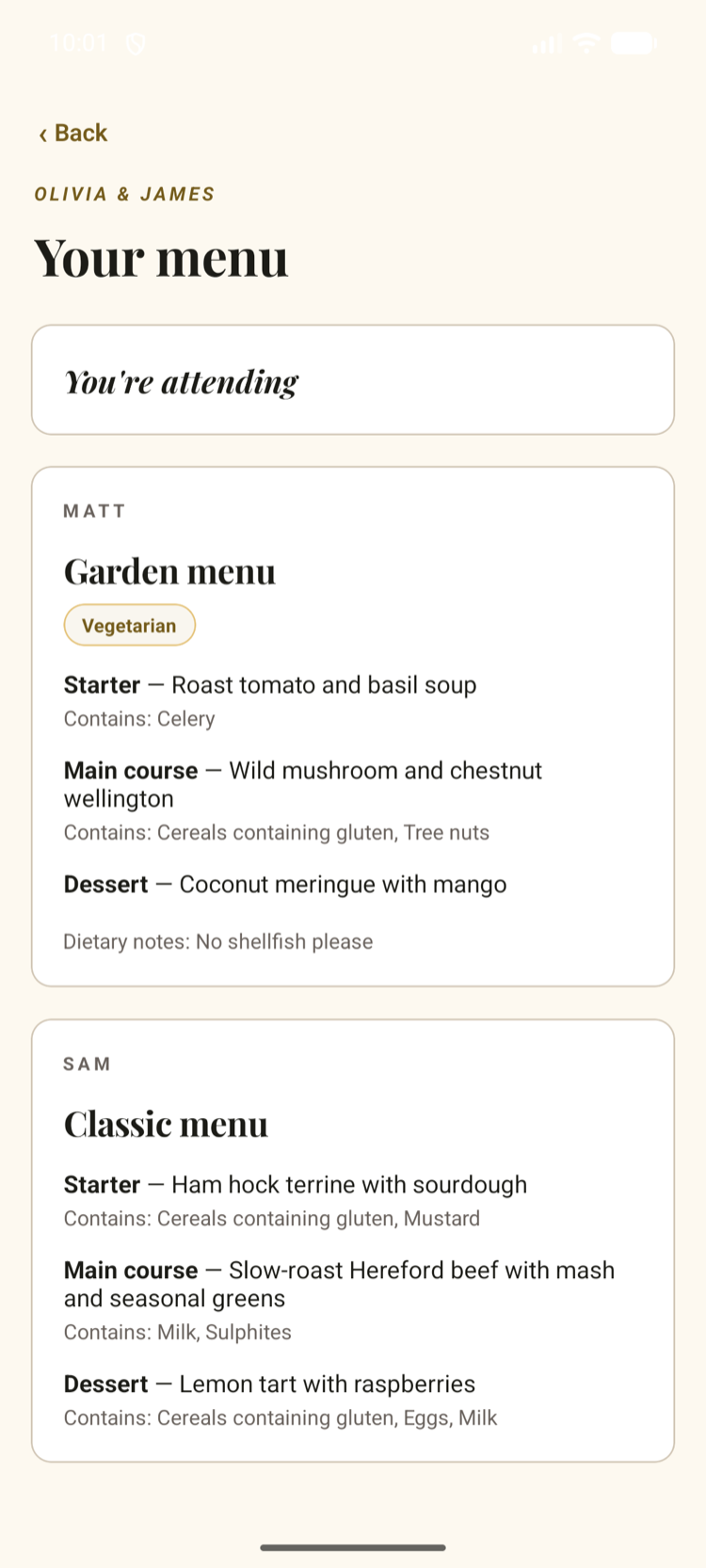
Nobody asks the waiter what they ordered.
Every guest can check what they chose, for themselves and their party, on their own phone.
The Fizz guest app is on its way. Until then, it’s all on your wedding website.
meanwhile, at your end
Every reply in one place, as it comes in.
Who’s coming to what, who’s still deciding and what everyone’s eating. So when the caterer rings for numbers, you just read them out.
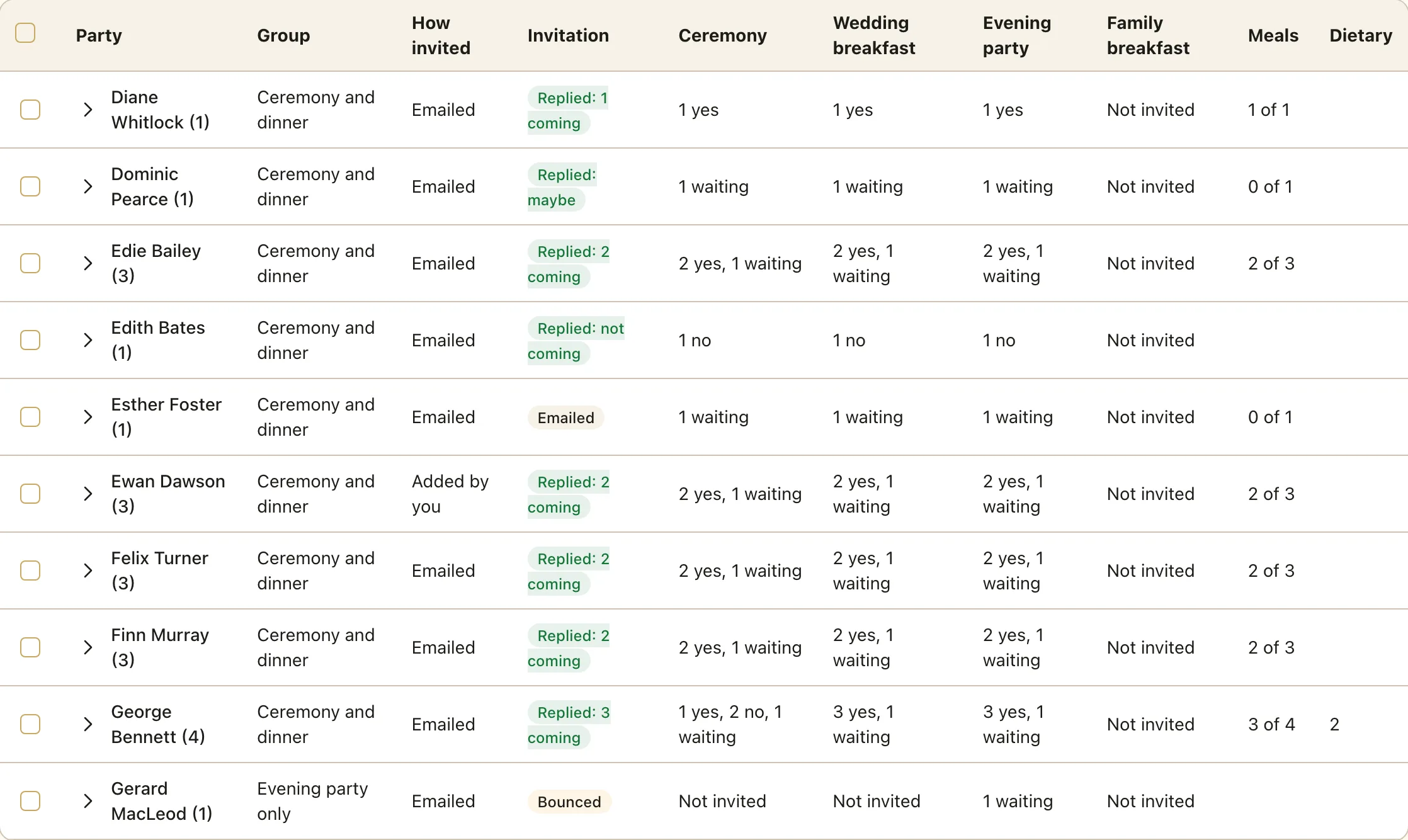
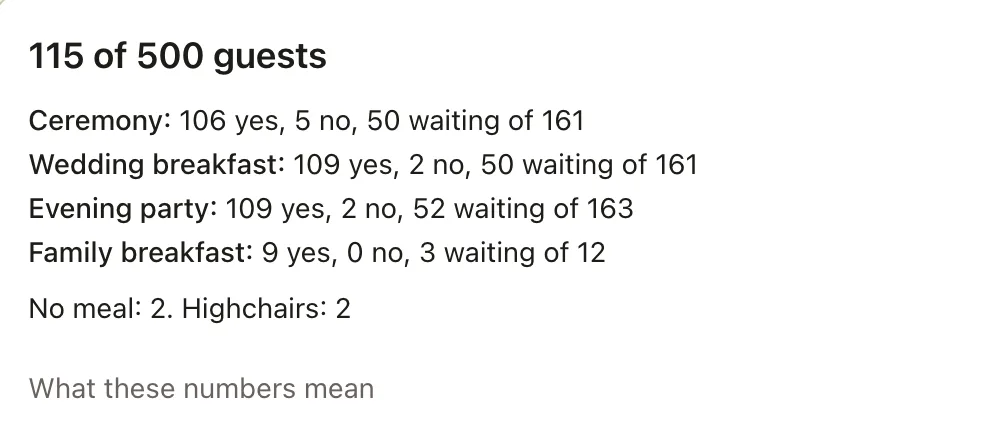
Our staging show wedding. Everyone in it is fictitious.
Some people need a nudge.
There’s always one. Fizz knows who hasn’t replied, so you don’t have to keep a list in your head.
A WhatsApp from you
A friendly reminder with their link, already written. You just press send.
An email to everyone who’s late
One press. Anyone who has said yes or no won’t hear from you again.
No nagging twice
You can see when you last reminded each party, and reminder emails stop at your deadline.
Celebrate & Champagne
No passwords. Just a code on WhatsApp.
Replying needs nothing at all. The first time a guest signs in to your wedding website or the app on a phone, Fizz sends them a six-digit code. On Celebrate and Champagne it can come on WhatsApp, so nobody digs through their junk folder, and guests you only have a mobile number for can sign in too.
On Toast, every party needs an email address and codes come by email. Each guest has a set number of sign-in codes for the life of the pass, on WhatsApp and by email. See "Sending invitations and reminders" in Help.
Common questions
Do guests need a password to RSVP?
Guests do not make a password. They open their invitation or your wedding link and confirm their email with a six-digit code, so replying takes seconds.
Can guests RSVP for their plus-ones?
Yes. A guest can reply for themselves and their plus-ones in one go. Each person answers for each event they are invited to, with a meal for each person where you ask for one. Everyone who signs in is 18 or over. Children are listed with their party, do not sign in, and still count for meals and seats.
Can I ask for meal choices?
Yes, on every plan. Build your menu with the menu builder and guests pick their dishes as part of their RSVP, with allergen and dietary information included. Set a Meal choices close date and guests cannot change their meal after it. Choose default dishes and anyone without a meal gets them. Having a buffet instead? Switch the menu to Buffet and guests see every dish without choosing, and can still tell you their dietary needs.
Can I remind people who have not replied?
Yes. You can send RSVP reminder emails to guests who have not responded yet. Fizz sends none after your RSVP deadline has passed, and every reminder has a link that lets a guest stop them. Each party gets a set number of reminders for the life of your Wedding Pass. If a guest uses up their sign-in codes, you can send more from the Guests page.
Which plans include RSVP?
RSVP, meal choices and the menu builder are on every plan. See the pricing page for the full comparison.
Can I export my RSVPs?
Yes. Download your guests and replies as a CSV or Excel file whenever you need them. It has one row for each person, a column for each event and the meal choices.
What happens after the RSVP deadline?
Your deadline closes at the end of the day you choose, in your wedding's time zone. After it, guests cannot change their reply, but they can still see what they sent. You can still change a reply for a guest.
Can each person in a party answer differently?
Yes. Each person answers for each event they are invited to. Children are guests under 18. They can't use the website or the app; an adult in their party replies for them.
Can some guests be invited to the evening only?
Yes. Put them in a guest group, such as Evening party only, and invite that group to the evening party. They see the evening party on their invitation and your wedding page, and reply just to that. Their meal choices and their seat come only from the events they are invited to.
AI-generated image
Clara, Theo and their guests are fictitious, and the people and photos are AI-generated. The guest app shown is coming soon.
Ready to retire the spreadsheet?
RSVP, meal choices and the menu builder are on every plan.
Want the invitations to open like a card? See how digital wedding invitations work.